openwrt中添加自定义驱动模块和APP
驱动模块添加:
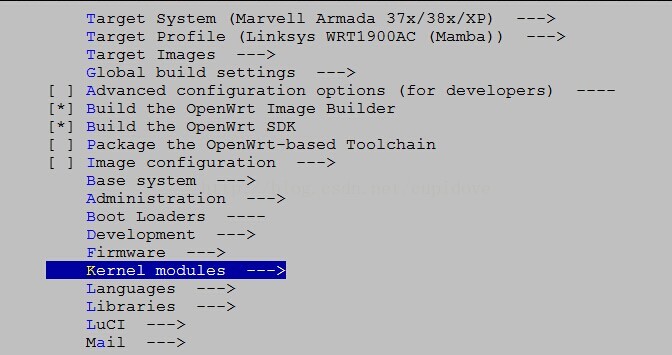
1:make menuconfig中的 kernel modules
其中的各个配置选项来自于下面目录中的.mk文件

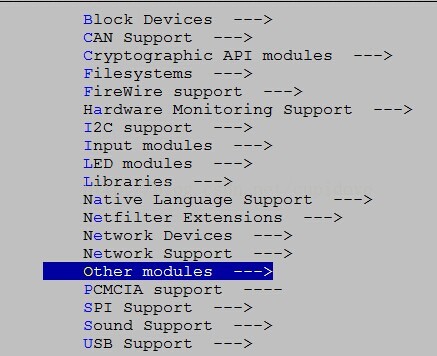
这里以other.mk为对照,后续我们添加的驱动模块,添加到other分支当中
2:建立模块目录,路径是package/kernel/example。mkdir -p package/kernel/example
3:进行package/kernel/example目录,建立Makefile文件,内容如下
#Kernel module example
include $(TOPDIR)/rules.mk
include $(INCLUDE_DIR)/kernel.mk
PKG_NAME:=example
PKG_RELEASE:=1
include $(INCLUDE_DIR)/package.mk
EXTRA_CFLAGS:= \
$(patsubst CONFIG_%, -DCONFIG_%=1, $(patsubst %=m,%,$(filter %=m,$(EXTRA_KCONFIG)))) \
$(patsubst CONFIG_%, -DCONFIG_%=1, $(patsubst %=y,%,$(filter %=y,$(EXTRA_KCONFIG)))) \
MAKE_OPTS:=ARCH="$(LINUX_KARCH)" \
CROSS_COMPILE="$(TARGET_CROSS)" \
SUBDIRS="$(PKG_BUILD_DIR)" \
EXTRA_CFLAGS="$(EXTRA_CFLAGS)"
define KernelPackage/example
SUBMENU:=Other modules
TITLE:=Support Module for example
# DEPENDS:=@XXX #如果有依赖,这个名字可去make menuconfig里面找到 Symbol:XXX
FILES:=$(PKG_BUILD_DIR)/example.ko
AUTOLOAD:=$(call AutoLoad,81,example) #系统启动时自动装载
endef
#PKG_BUILD_DIR:/build_dir/target-mipsel_24kec+dsp_uClibc-0.9.33.2/linux-ramips_mt7621/example
#建立 PKG_BUILD_DIR ,并将代码拷贝到此处
define Build/Prepare
mkdir -p $(PKG_BUILD_DIR)/
$(CP) -R ./src/* $(PKG_BUILD_DIR)/
endef
define Build/Compile
$(MAKE) -C "$(LINUX_DIR)" $(MAKE_OPTS) CONFIG_EXAMPLE=m modules
endef
$(eval $(call KernelPackage,example))
4:在package/kernel/example目录下建立src目录,mkdir -p package/kernel/example/src
5:在package/kernel/example/src目录下建立源码文件example.c和对应的Makefile,Kconfig
example.c
#include <linux/module.h>
#include <linux/version.h>
#include <linux/kmod.h>
static int __init example_init(void)
{
printk("hello example openwrt\n");
return 0;
}
static void __exit example_exit(void)
{
printk("hello example openwrt exit\n");
}
module_init(example_init);
module_exit(example_exit);
MODULE_AUTHOR("hello world");
MODULE_DESCRIPTION("example driver");
MODULE_LICENSE("GPL");
MODULE_ALIAS("platform:" DRV_NAME);
Makefile:
obj-${CONFIG_EXAMPLE}+= example.o
Kconfig:
config EXAMPLE
tristate "Just a example"
help
This is a example, for debugging kernel model.
If unsure, say N.
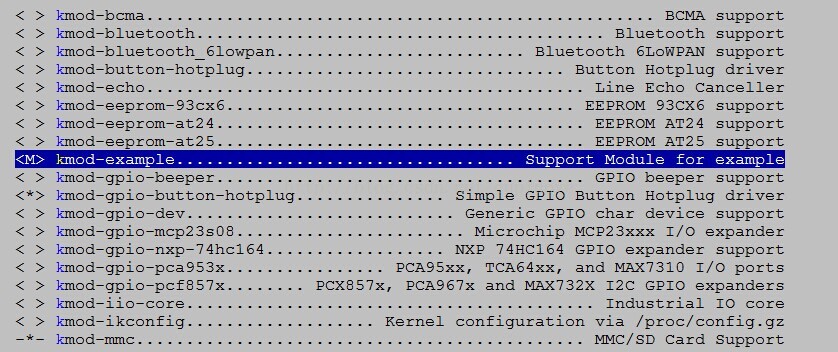
6:在trunk目录make menuconfig-->kernel module-->other module-->kmod-example选中。保存Config后,输入make ./package/kernel/example/compile V=s进行编译
应用程序编译
1:在trunk/package应用目录。参考其他的应用文件。创建helloworld文件夹,并进入。创建Makefile:
##############################################
# OpenWrt Makefile for helloworld program
#
#
# Most of the variables used here are defined in
# the include directives below. We just need to
# specify a basic description of the package,
# where to build our program, where to find
# the source files, and where to install the
# compiled program on the router.
#
# Be very careful of spacing in this file.
# Indents should be tabs, not spaces, and
# there should be no trailing whitespace in
# lines that are not commented.
#
##############################################
include $(TOPDIR)/rules.mk
# Name and release number of this package
PKG_NAME:=helloworld
PKG_RELEASE:=1
# This specifies the directory where we're going to build the program.
# The root build directory, $(BUILD_DIR), is by default the build_mipsel
# directory in your OpenWrt SDK directory
PKG_BUILD_DIR := $(BUILD_DIR)/$(PKG_NAME)
include $(INCLUDE_DIR)/package.mk
# Specify package information for this program.
# The variables defined here should be self explanatory.
# If you are running Kamikaze, delete the DESCRIPTION
# variable below and uncomment the Kamikaze define
# directive for the description below
define Package/helloworld
SECTION:=utils
CATEGORY:=Utilities
TITLE:=Helloworld -- prints a snarky message
endef
# Uncomment portion below for Kamikaze and delete DESCRIPTION variable above
define Package/helloworld/description
If you can't figure out what this program does, you're probably
brain-dead and need immediate medical attention.
endef
# Specify what needs to be done to prepare for building the package.
# In our case, we need to copy the source files to the build directory.
# This is NOT the default. The default uses the PKG_SOURCE_URL and the
# PKG_SOURCE which is not defined here to download the source from the web.
# In order to just build a simple program that we have just written, it is
# much easier to do it this way.
define Build/Prepare
mkdir -p $(PKG_BUILD_DIR)
$(CP) ./src/* $(PKG_BUILD_DIR)/
endef
define Build/Configure
endef
define Build/Compile
$(MAKE) -C $(PKG_BUILD_DIR) \
CC="$(TARGET_CC)" \
CFLAGS="$(TARGET_CFLAGS) -Wall" \
LDFLAGS="$(TARGET_LDFLAGS)"
endef
# We do not need to define Build/Configure or Build/Compile directives
# The defaults are appropriate for compiling a simple program such as this one
# Specify where and how to install the program. Since we only have one file,
# the helloworld executable, install it by copying it to the /bin directory on
# the router. The $(1) variable represents the root directory on the router running
# OpenWrt. The $(INSTALL_DIR) variable contains a command to prepare the install
# directory if it does not already exist. Likewise $(INSTALL_BIN) contains the
# command to copy the binary file from its current location (in our case the build
# directory) to the install directory.
define Package/helloworld/install
$(INSTALL_DIR) $(1)/bin
$(INSTALL_BIN) $(PKG_BUILD_DIR)/helloworld $(1)/bin/
endef
# This line executes the necessary commands to compile our program.
# The above define directives specify all the information needed, but this
# line calls BuildPackage which in turn actually uses this information to
# build a package.
$(eval $(call BuildPackage,helloworld))
2:在helloworld目录创建src文件夹,并进入。创建Makefile和helloworld.c:
# build helloworld executable when user executes "make"
helloworld: helloworld.o
$(CC) $(LDFLAGS) helloworld.o -o helloworld
helloworld.o: helloworld.c
$(CC) $(CFLAGS) -c helloworld.c
# remove object files and executable when user executes "make clean"
clean:
rm *.o helloworld
helloworld.c
#include <stdio.h>
#include <unistd.h>
#include <stdlib.h>
int main(int argc, char**argv)
{
printf("Hell! O' world, why won't my code compile?\n\n");
return 0;
}
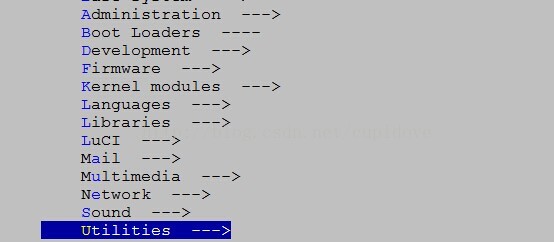
3:返回trunk目录,make menuconfig-->Utilities-->helloworld。然后make ./package/helloworld/compile V=s
转至:https://blog.csdn.net/cupidove/article/details/45093385

来源:网络
智能推荐
如何在Eclipse中如何自动添加注释和自定义注释风格
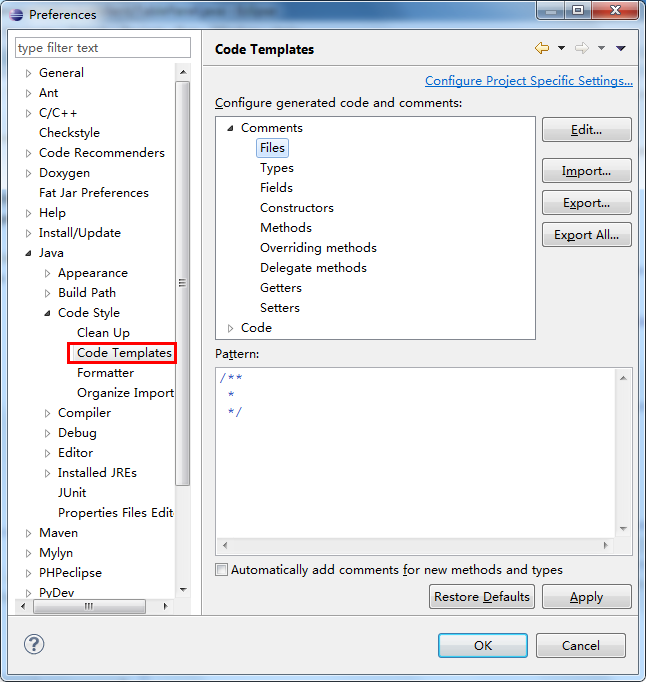
在无论什么项目中,注释都是不可缺少的,注释的种类和风格非常之多,每个公司有每个公司自己的一套标准,中大型项目一般写注释是为了自动生成文档便于维护,比如Java自带的Javadoc、功能更强大使用更广泛的Doxygen(Doxygen自动文档生成工具在Eclipse中的集成及使用举例)等。注释的任务其实挺繁重的,总以为自己在做着无意义的事,每次重复的写着统一的注释风格更是费时费力。Eclipse用的...
MDK中自定义基于CMSIS的驱动代码
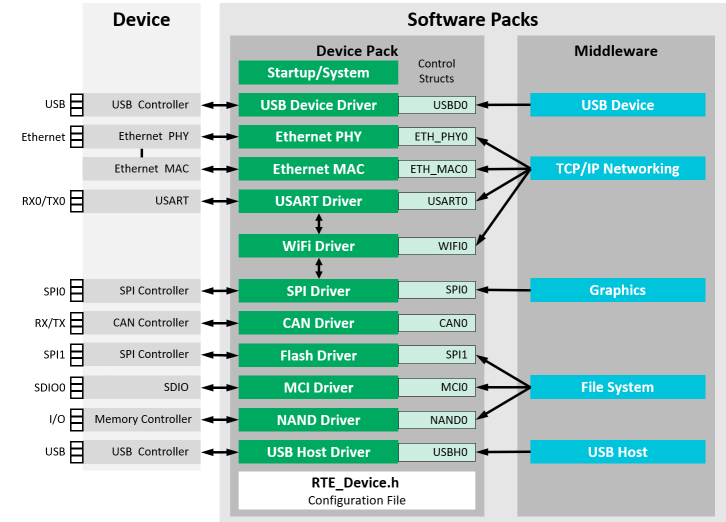
前言 例程下载: 链接:https://pan.baidu.com/s/1DBqtGV0fVbVhKru_ZXNqZA 提取码:gjie 什么是CMSIS-Driver? CMSIS驱动程序规范是一个软件API,它描述中间件和用户应用程序的外围驱动程序接口。CMSIS-Driver属于底层硬件与上层中间件之间的代码层,它隔离了底层的不同硬件确保了对上层中间件统一的接口大大提高了软件的可...
Apicloud自定义模块
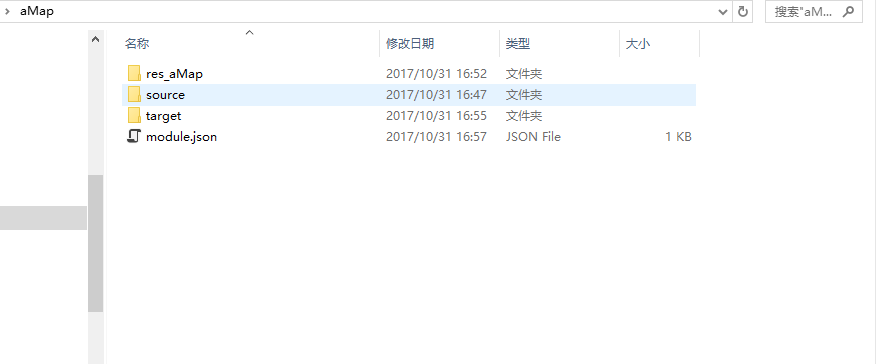
各种坑,折腾了两天才有点头绪。我用的是Android Studio编辑器,官网是Eclipse的视频。文档也比较蛋疼。 自定义模块的目录结构要按照下面来处理 其中res_模块名,存放res和AndroidMainfest.xml AndroidMainfest.xml需要处理一下,去掉不需要的东西。 res中可以把一些drawable融合到一起。 AndroidMainfest.xml中把一些权限...
Python自定义模块
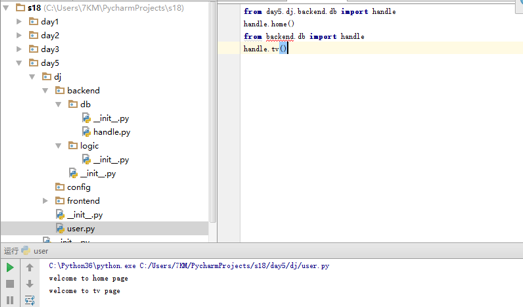
模块,用一砣代码实现了某个功能的代码集合。 类似于函数式编程和面向过程编程,函数式编程则完成一个功能,其他代码用来调用即可,提供了代码的重用性和代码间的耦合。而对于一个复杂的功能来,可能需要多个函数才能完成(函数又可以在不同的.py文件中),n个 .py 文件组成的代码集合就称为模块。 如:os 是系统相关的模块;file是文件操作相关的模块 模块分为三种: ü ...
猜你喜欢
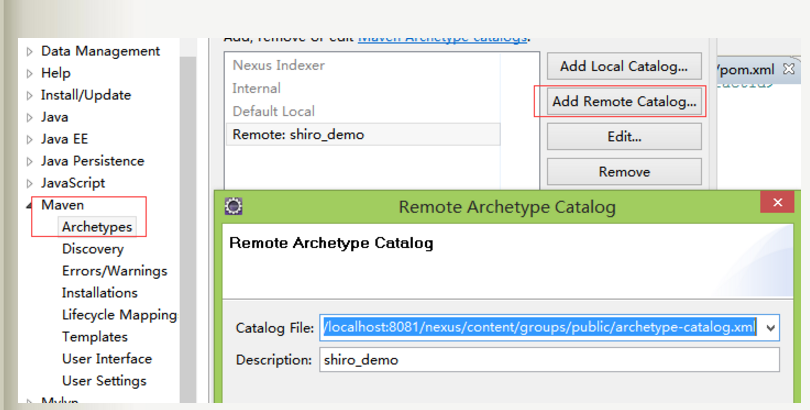
maven 自定义模块
引用地址:https://www.cnblogs.com/chyu/p/5648139.html http://blog.csdn.net/a5518007/article/details/62885432 maven archetype可以将一个项目做成...

自定义瀑布流(可添加自定义header和footer)
github 地址github.com/Wanghongchao12138/CustomerCollectionView /* 设置cell 的宽高 */ (CGFloat)collectionView:(UICollectionView)collectionView layout:(WHCWaterfallFlowLayout)collectionViewLayout heightForWidt...
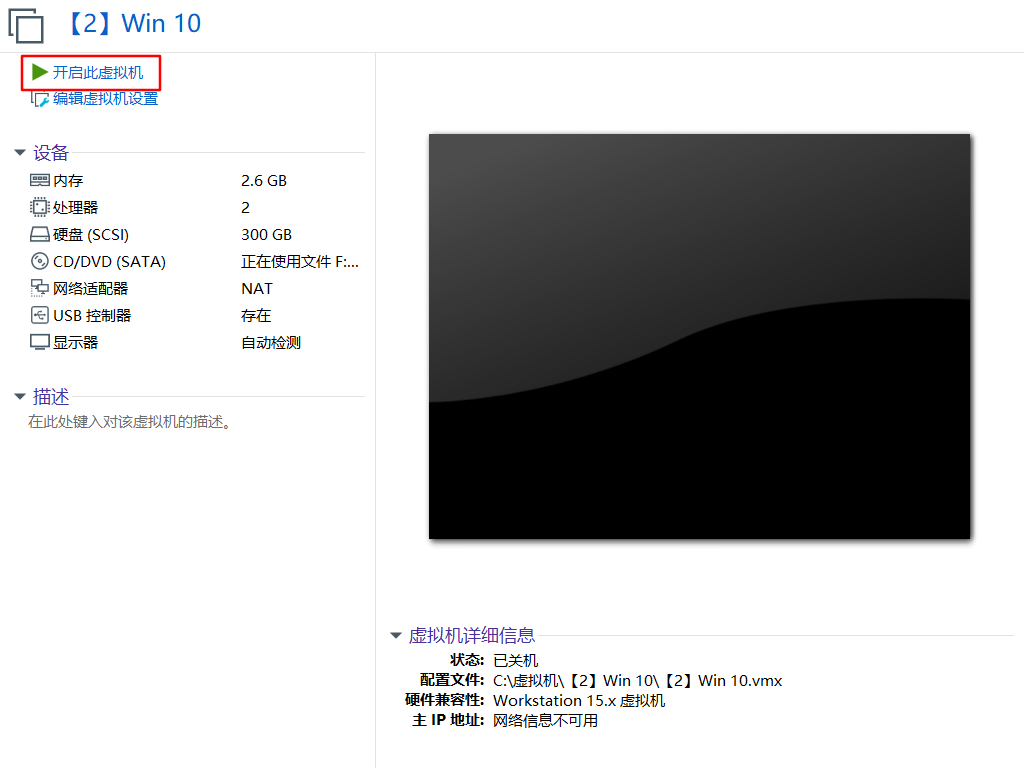
在VM虚拟机下 Windows 10备份与恢复
#Windows 10备份与恢复 实验案列: 使用Ghost备份/恢复操作系统 实验背景: XX公司XX部门购置了一批新计算机,软件工程师小杨为给系统快速恢复、批量装机等维护工作提供便利条件,准备使用一台Windows 10样机制作Ghost镜像文件,分发到其他的计算机中,作为故障恢复的样板。 需求描述: 用Ghost软件为Windows 10样机制作备份镜像。将制作的.Gho文件备份到本机的其他...
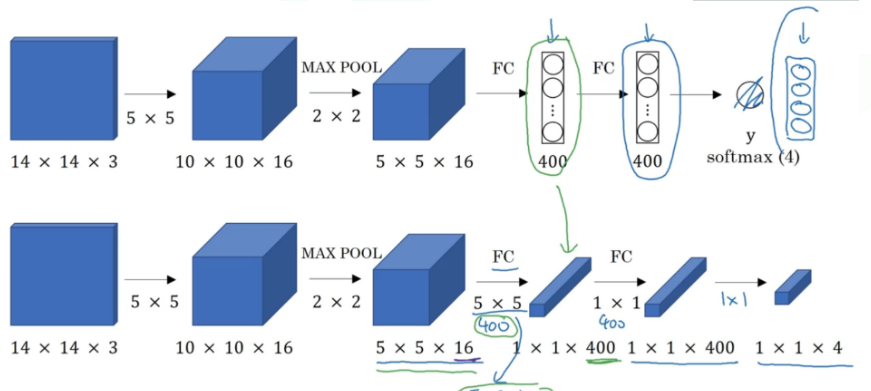
卷积的滑动窗口
他们都可以处理多张不同的图片 但全卷积可以接受其他的输入大小 其实是很简单的东西 搭配这个看 传统的 前面是卷积层+后面是全连接层 输入大小会有限制 这是因为卷积层和全连接层的连接处(图中红圈处),传入全连接层那边大小是被限制死的, 比如这里这个神经网络就是专门为14143而设计的, 如果你输入大小是其他比如16163,那就死定了,因为我们知道卷积层变成全连接层就是把方块flatten打散成一列,...

telnet输入乱码的解决
1、Win+R --- 运行窗口 输入cmd回车 2、输入telnet 主机 端口 3、连接主机发现无法输入 4、这里什么也不要输入,按下 ctrl+] 键 5、按下回车键,然后会弹出新的窗口,就可以正常输入了 6、输入 请求行信息 回车 美句: 生...
问答精选
Upgrade PostgreSQL from 9.6 to 10.0 on Ubuntu 16.10
My database is over 600 GB and my current volume is only 1 TB, so that probably limits my options. My config files are here: My database is here: Edit - This guide worked for me. The only addition I n...
JSONTypeInfo to not ignore property in inheritance mapping
I am using following dependency for JSON serialization/deserialization I have inheritance mapping. Following is Parent class. And we have two sub class One and Two extended by Parent. This mapping is ...
IOError: [Errno 2] No such file or directory: '123.avi'
I´m writting a script to send emails form a raspberry pi 4 and I want to attach a file to an email via python, but i always get this error. I´m pretty new to python. I know that the file i...
pthread_join fails in forking TCP server when handling multiple clients
I have to create a multithread TCP/IP server which contains a variable to count the number of clients connected (and those which disconnect) and print the number of clients connected when a client con...
Update corresponding object on multiple jquery ajax requests
I have an array of objects I would like to initiate an ajax request for each, and the result of that request should be stored in the corresponding object for that request say I have what is the proper...
相关问题
相关文章
热门文章
推荐文章
相关标签
推荐问答
- JavaScript works fine when pasted in to console, not as bookmark
- Powershell duplicating file information
- Problem with obtaining GET all athlete activities in Strava API v3
- Getting unknown value on Y axis while plotting barplot(Geom_Col)
- PyQt QProgressBar not working correctly due to Python docstring comment length?
- Quarkus startup is complaining about deprecated properties
- Spaghetti plot in R with repeated measurements
- Laravel Simultaneously input one to many in database
- Protractor webdriver-manager error: "WebDriverError: Unable to determine type from: E. Last 1 characters read: E"
- Amazon AWS cost of small basic web