SQL Server升级安全组SID(安全标识符)检查规则失败
今天在论坛看到有用户出现Security Group upgrade rule失败 错误:rule "Security Group SID(Security Identifier)" failed。发生这个错误的原因是SQL Server创建的Windows本地组SID信息与注册表中的SID不匹配,需要用 WHOAMI /GROUPS查出正确的SID然后替换注册表中的错误SID,问题可以解决。
具体步骤参考:
Problem
Last month I was working on a SQL Server 2005 to SQL Server 2008 R2 upgrade. Unfortunately, we were not able to complete our upgrade because of a failing a upgrade rule named "Security Group SID (Security Identifier)". The SQL Server Upgrade Setup Wizard did not enable the 'Next' button in order to proceed with the upgrade until this failure was resolve. In this tip, I will describe the reason for this failure and how I fixed the issue in order to have a successful upgrade.
Solution
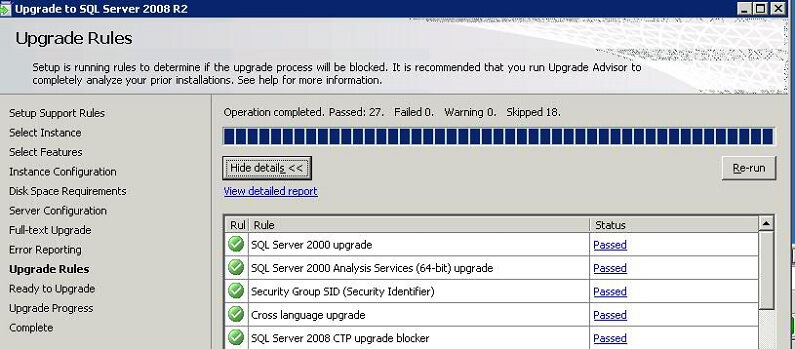
As I described in the problem statement, we were not able to upgrade our SQL Server because one of the upgrade rules i.e. "Security Group SID (Security Identifier)" failed during the setup process. The SQL Server 2008 R2 Upgrade Setup Wizard would not allow us to proceed and disabled the "Upgrade Rules" page as shown below.
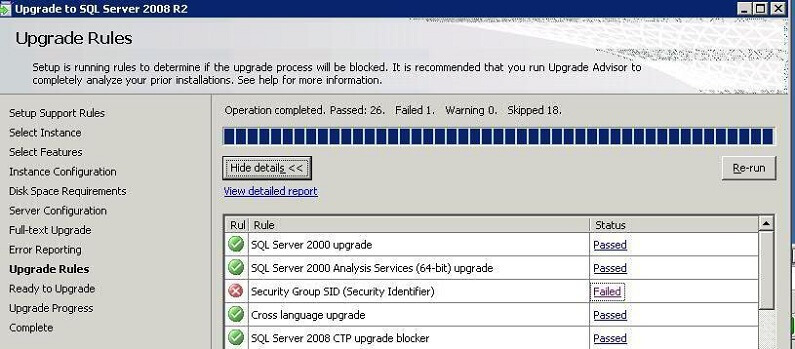
For the detailed error message, I clicked on "Failed" hyperlink in the status column to read more about the error, but this was not enough to help me understand the issue. Here is the screen shot:

So I decided to check the upgrade log files to find out the main reason why this rule failed. The upgrade and installation log files are save in the setup bootstrap folder. As such, my log files are stored in the C:\Program Files\Microsoft SQL Server\100\Setup Bootstrap\Log\' folder.
In the log file, I found the following detailed error messages:
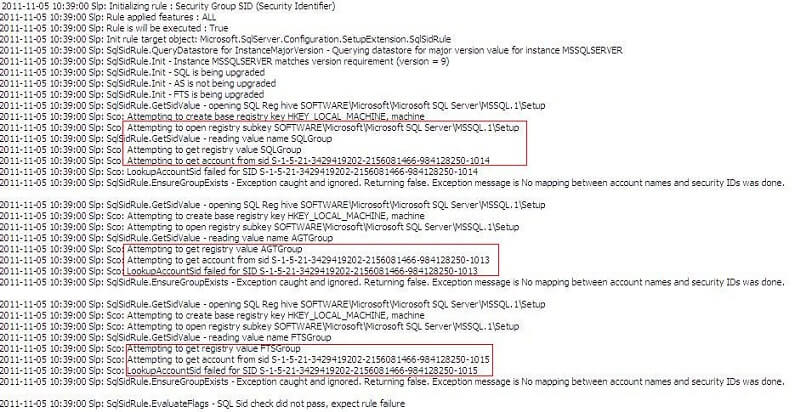
As per the above error log messages highlighted in red, you can see SQL Server setup is trying to read account information from the Windows registry. What the upgrade wizard is doing is reading account information i.e. SIDs from the registry and then searching for the correct account based on the exact SID (Security Identifiers) for the groups in the local Computer Management. As such, the SIDs should be the same in Computer Management and the Windows registry hive for all groups. Unfortunately in this circumstance SQL Server setup is not able to find the account information for three accounts.
Those account SIDs are the SQL Server service groups account that were created during the SQL Server 2005 installation. The error message indicates that SQL Server is not able to map the SIDs to the names of the service group accounts. All three accounts can be found in SQL Server as logins and in Computer Management. The SQLGroup account is used for the SQL Server Database Engine, AGTGroup is used for SQL Server Agent and FTSGroup is used for Full Text Search, SQL Server creates a system account for all its features when you install it. If you have SQL Server Reporting Services and SQL Server Analysis Services installed then a additional accounts would be created and assigned SIDs. Below are the SQL Server 2005 group account names:
- SQLServer2005DTSUser$SERVERNAME
- SQLServer2005MSFTEUser$SERVERNAME$MSSQLSERVER
- SQLServer2005MSSQLServerADHelperUser$SERVERNAME
- SQLServer2005MSSQLUser$SERVERNAME$MSSQLSERVER
- SQLServer2005NotificationServicesUser$SERVERNAME
- SQLServer2005SQLAgentUser$SERVERNAME$MSSQLSERVER
- SQLServer2005SQLBrowserUser$SERVERNAME
Resolving the Upgrade SQL Server 2008 R2 Security Group SID (Security Identifier) Issue
Below outlines the step by step process which I followed to resolve this issue.
Step 1 - After reading log file I decided to look into registry location which is mentioned in error log file:
My Computer\HKEY_LOCAL_MACHINE\SOFTWARE\Microsoft\Microsoft SQL Server\MSSQL.1\Setup
Here are the applicable parameters from the registry location:
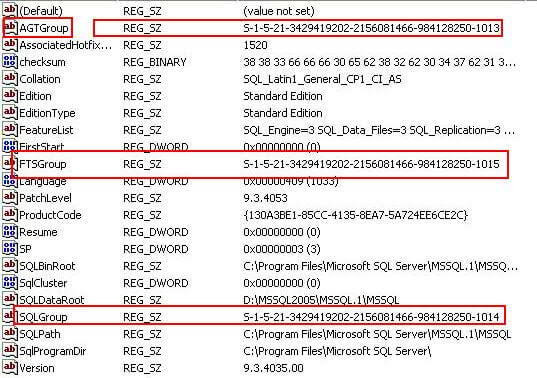
As you can see in the above screenshot, the SIDs are the same as in error log. As such, our next step is to find out the SIDs for all these system accounts in Computer Management.
Step 2 - At the DOS prompt, I used the "WHOAMI" command to find out the system accounts in Computer Management. This utility can be used to get the user name and group information along with the respective security identifiers (SID), privileges, logon identifier (logon ID) for the current user on the local system. i.e. who is the current logged on. If you are not part of these accounts then add yourself in all of the group accounts. Normally the SQL Server Service Account would be part of all the group accounts.
WHOAMI /GROUPS
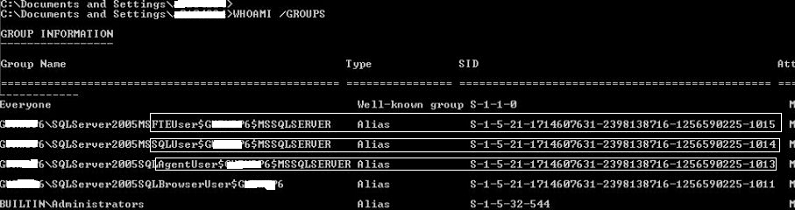
Now you can see the issue. The SID for same account in above screenshot is different than the SID in registry or error log. So now our next step will be copy to the SID from the above screenshot for each group which is causing the upgrade failure and replace this value in the registry hive. Make sure you backup your registry before making any changes.
Step 3 - To replace the registry value double click on the group which is highlighted in red from step 1 and replace the SID with the value from the WHOAMI command in the above screenshot. Follow this process for all three groups and replace the appropriate values.
Step 4 - Now reboot the server and start your upgrade again. This time the Upgrade to SQL Server 2008 R2 wizard should recognize the correct SID values enable you to proceed past the "Upgrade Rules" interface.
来源:网络
智能推荐

sql server 导出sql文件.
转自:https://www.cnblogs.com/527289276qq/p/4515813.html 如果只是纯导出所有,看完前几步就行了. 有时候,我们想把数据库的某张表里的所有数据导入到另外一个数据库或另外一台计算机上的数据库,对于sql server有这样的一种方法 下面我以sql server 2008 R2,数据库是Northwind数据库为例...
sql - sql server 的排序
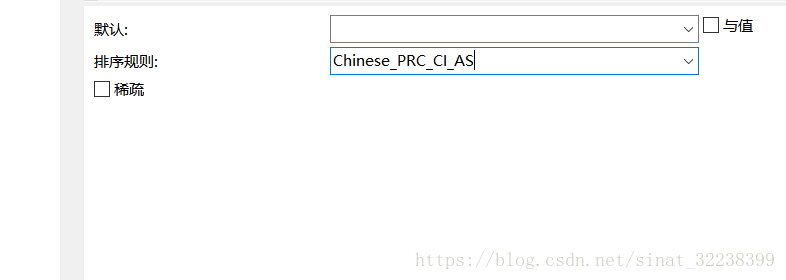
Chinese_PRC_CI_AS Chinese_PRC_ 中国大陆 CI 不区分大小写,CS 区分大小写。 case-senstive case-insensitive AccentSensitivity AI 指定不区分重音,AS 指定区分重音。KanatypeSens...
web安全:SQL注入
SQL注入是网站和web应用程序中最常见的安全漏洞。这种恶意技术有很多应用场景, 但(SQL注入)通常是指在数据输入的地方注入代码以利用数据库应用程序中的安全漏洞。 SQL注入在接收用户输入的接口处 (也就是说在注册表单、查询表单等地方)尝试执行注入操作。对(SQL注入)高度关注以及方便检测数据库应用程序中的安全漏洞使得攻击者经常地以最小的努力“测试”网站/应用程序的安全完...
初探SQL注入--安全
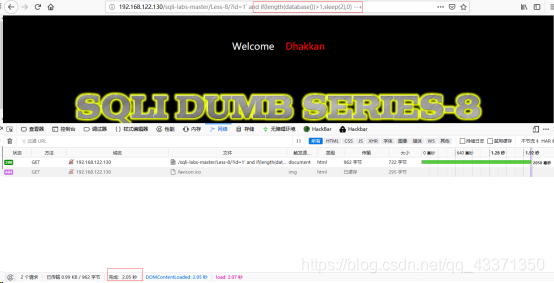
本人是一名小菜,如果文章有什么问题或者错误,欢迎随时在下方评论或者联系我,收到消息后我会校验、改正。谢谢! Sql注入 1、测试交互方法,判断浏览器提交数据和web服务器的交互方式 get 提交 提交的数据在url中显示 post 提交 没有在url中显示 2、判断提交变量的数据类型 + 整型 id = 1 and 1=2 //让提交数据为False(假) 有交互数据显示则为整型,否则为str +...
原型对象,原型链
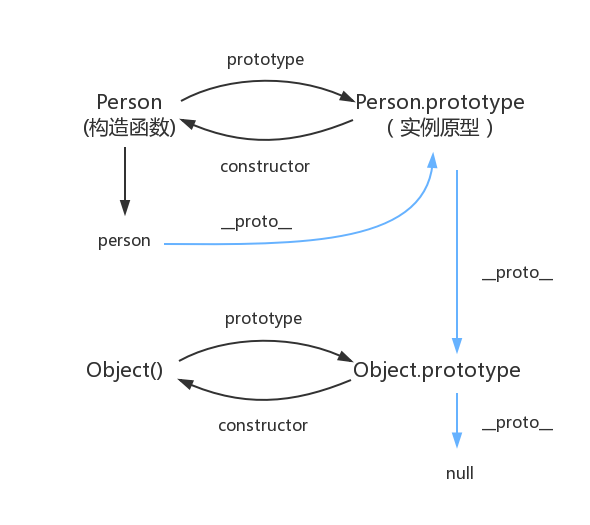
函数都有prototype属性,它指向原型对象。 实例对象有__proto__属性,它指向对象原型 每一个原型对象都有constructor输赢,指向构造函数,每一个原型对象又具有__proto__属性,这个指向Object.prototype.在这里插入图片描述...
猜你喜欢

Node 调用 dubbo 服务的探索及实践
2.Dubbo简介 2.1 什么是dubbo Dubbo是一款高性能、轻量级的开源Java RPC框架,它提供了三大核心能力:面向接口的远程方法调用,智能容错和负载均衡,以及服务自动注册和发现。 2.2 流程图 Provider : 暴露服务的服务提供方。 Consumer : 调用远程服务的服务消费方。 Registry : 服务注册与发现的注册中心。 Monito...
mysql总结
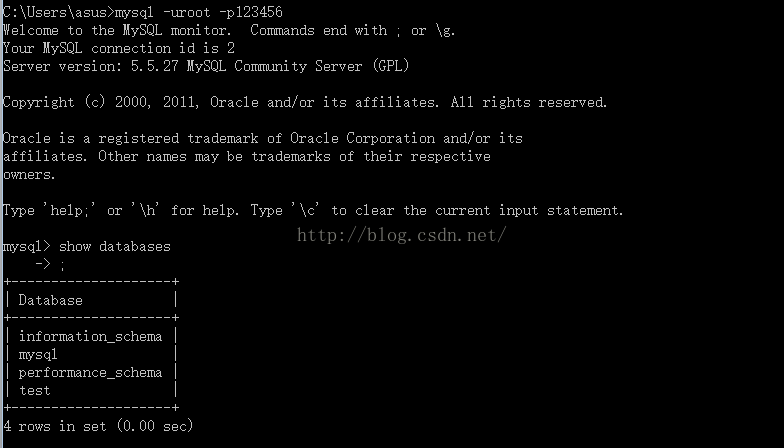
mysql基础入门的总结 关于数据库: 数据库是软件开发人员要掌握的基本工具,软件的运行的过程就是操作数据的过程,数据库中的数据无非就是几个操作:增-删-查-改。 Mysql安装完成后,需要配置变量环境,找到配置路径path,然后把mysql安装目录bin文件导入就可以了。 然后运行cm...
adb及monkey常用命令
adb常用命令: 查看手机是否连接:adb devices 连接设备:adb connect 设备ip:端口号 若有连接多个设备需指明设备ip及端口号 安装APP:adb install [-r] 包名 -r表示覆盖安装,首次安装可省略 卸载APP:adb uninstall 包名 列出设备中所有应用包名:adb shell pm list packages ...
PC端浏览器如何设置无图模式
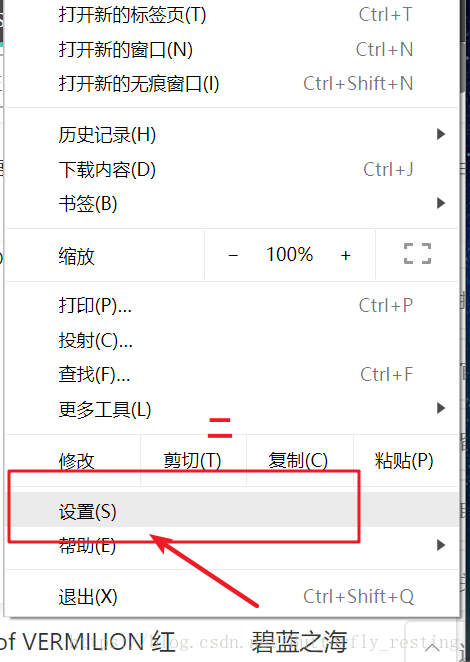
以谷歌浏览器为例,注意有些浏览器并不支持该功能。 1)打开自定义与控制 2)选择设置 3)查看左边状态栏,选择高级设置--》隐私设置和安全性 4)选择内容设置 5)图片 6)选择不显示任何图片,其中也可以只禁用某些网站图片,或者只开启自己想显示图片的网站...
2021-06-08
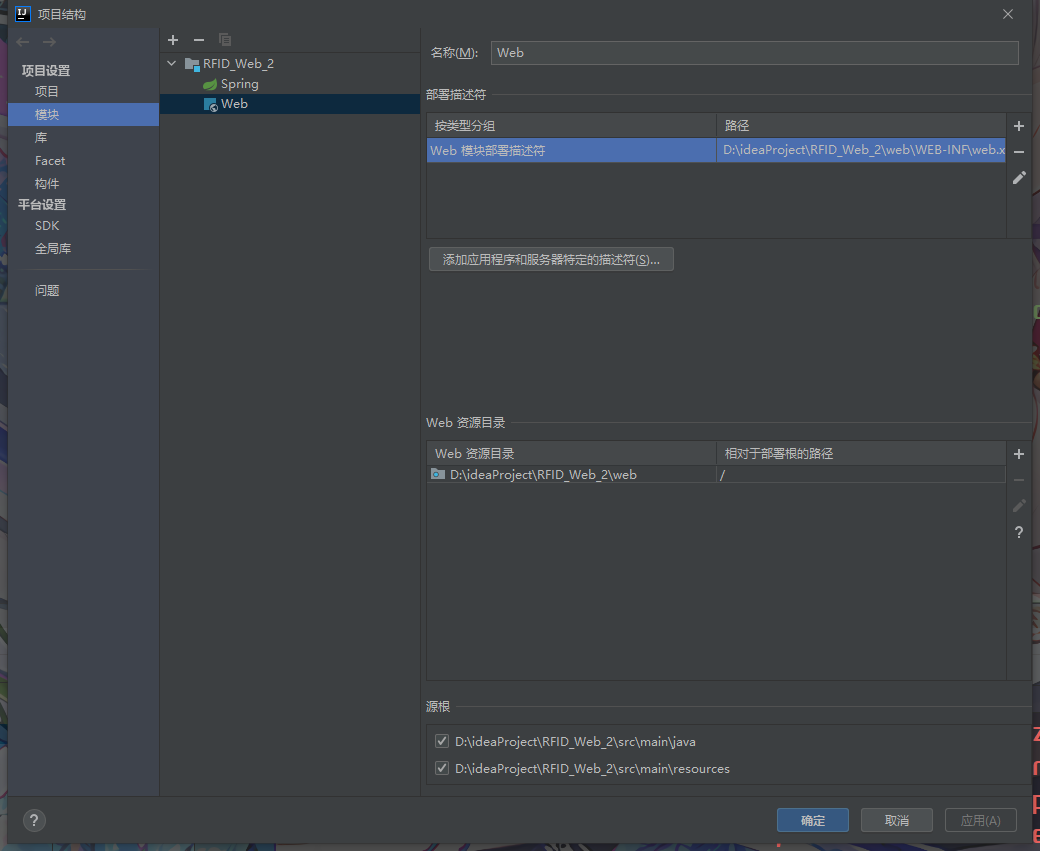
IDEA中使用springMVC 出现 404请求的资源不可用的其他一个可能原因 如果你确认你在视图解析器中的路径设置没有问题,各种文件名都没问题,却依然出现资源不可用错误 你可以检查这个页面中是否为web部署了工件,没有的话部署一下就好了。...
问答精选
Correctly formatting GCM notifications?
I'm currently trying out the google cloud messaging service with its sample application "Guestbook." https://developers.google.com/cloud/samples/mbs/ I'm attempting to send notifications tha...
Are there any performance benefits of using Asynchronous functions over Synchronous in Node Js?
Now I came across an article that distinguishes between an Asynchronous function and Synchronous functions. From my understanding of the different examples and explanations, synchronous functions are ...
Python: Costing calculator output
Good day all I'm busy creating a small costing calculator for the signage department. I'm not getting the calculator to output the amount. Brief Description: You enter the height and width and then wh...
Flask-SQLAlchemy - model has no attribute 'foreign_keys'
I have 3 models created with Flask-SQLalchemy: User, Role, UserRole role.py: user.py: user_role.py: If I try (in the console) to get all users via User.query.all() I get AttributeError: 'NoneType' obj...
Seeding many PRNGs, then having to seed them again, what is a good quality approach?
I have many particles that follow an stochastic process in parallel. For each particle, there is a PRNG associated to it. The simulation must go through many repetitions to get average results. For ea...
相关问题
相关文章
热门文章
推荐文章
相关标签
推荐问答
- ShareActionProvider with background processing
- gridview changing position automatically when notifiedDatasetChangedCalled?
- How to efficiently fill-in a structure with vectors?
- when i exit from node js, i just cant give command in my terminal
- How to upload an image with Spray?
- Edit my message before posting in Twitter with Twitter API and PHP
- Using css style selector in JQuery not working?
- Can Html.Display/Html.DisplayFor/Html.DisplayForModel work with a DataTable?
- What does <?!= mean in Google Apps Script?
- Python/Linux - Manually installing httplib2 as a non-root user