JZ2440:yaffs2 格式根文件系统制作
YAFFS目前有yaffs、yaffs2两个版本,一般来说,yaffs对小页(512B+16B/页)的NandFlash(68M)有很好的支持,yaffs2对大页(2K+64B/页)的NandFlash(128M、256M或者更大)支持更好。
我的 nandflash 型号是:K9F2G08U0C
大小是:256M
因此采用 mkyaffs2image 工具:
1. 首先下载 yaffs2 源码
git clone git://www.aleph1.co.uk/yaffs2
2. 将 yaffs2 选项放到linux 内核的配置选项中:
cd yaffs2
./patch-ker.sh c m linux-tree
我的内核放在了 ~/wor_lip/linux-3.4.112 文件夹下,因此,命令为:
./patch-ker.sh c m ~/wor_lip/linux-3.4.112
3. 查看内核让内核支持yaffs2:
进入linux内核源码目录,
make menuconfig
File systems --->
[*] Miscellaneous filesystems --->
<*> yaffs2 file system support
其他配置也要配置好
make uImage
重新生成uImage
4. uboot 中添加 支持 yaffs2 的烧写:
支持 yaffs2 的烧写,就是添加 nand write.yaffs2 命令
cmd/nand.c 文件中:
@@ -617,7 +617,17 @@ static int do_nand(cmd_tbl_t *cmdtp, int flag, int argc, char * const argv[])
}
ret = nand_write_skip_bad(nand, off, &rwsize, NULL,
maxsize, (u_char *)addr,
- WITH_DROP_FFS | WITH_WR_VERIFY);
+ WITH_DROP_FFS | WITH_WR_VERIFY);
+#endif
+#ifdef CONFIG_CMD_NAND_YAFFS
+ } else if (!strcmp(s, ".yaffs2")) {
+ if (read) {
+ printf("Unknown nand command suffix '%s'\n", s);
+ return 1;
+ }
+ ret = nand_write_skip_bad(nand, off, &rwsize, NULL,
+ maxsize, (u_char *)addr,
+ WITH_YAFFS_OOB);
#endif
} else if (!strcmp(s, ".oob")) {
/* out-of-band data */
@@ -765,6 +775,11 @@ static char nand_help_text[] =
" 'addr', skipping bad blocks and dropping any pages at the end\n"
" of eraseblocks that contain only 0xFF\n"
#endif
+#ifdef CONFIG_CMD_NAND_YAFFS
+ "nand write.yaffs2 - addr off|partition size\n"
+ " write 'size' bytes starting at offset 'off' with yaffs format\n"
+ " from memory address 'addr', skipping bad blocks\n"
+#endif
"nand erase[.spread] [clean] off size - erase 'size' bytes "
"from offset 'off'\n"
" With '.spread', erase enough for given file size, otherwise,\n"
drivers/mtd/nand/nand_util.c
@@ -580,8 +580,23 @@ int nand_write_skip_bad(nand_info_t *nand, loff_t offset, size_t *length,
if (actual)
*actual = 0;
-
+#ifdef CONFIG_CMD_NAND_YAFFS
+ if (flags & WITH_YAFFS_OOB) {
+ if (flags & ~WITH_YAFFS_OOB)
+ return -EINVAL;
+ int pages;
+ pages = nand->erasesize / nand->writesize;
+ blocksize = (pages * nand->oobsize) + nand->erasesize;
+ if (*length % (nand->writesize + nand->oobsize)){
+ printf ("Attempt to write incomplete page"
+ " in yaffs mode\n");
+ return -EINVAL;
+ }
+ }else
+#endif
+ {
blocksize = nand->erasesize;
+ }
/*
* nand_write() handles unaligned, partial page writes.
@@ -650,24 +665,55 @@ int nand_write_skip_bad(nand_info_t *nand, loff_t offset, size_t *length,
else
write_size = blocksize - block_offset;
- truncated_write_size = write_size;
-#ifdef CONFIG_CMD_NAND_TRIMFFS
- if (flags & WITH_DROP_FFS)
- truncated_write_size = drop_ffs(nand, p_buffer,
- &write_size);
+#ifdef CONFIG_CMD_NAND_YAFFS
+ if (flags & WITH_YAFFS_OOB) {
+ int page, pages;
+ size_t pagesize = nand->writesize;
+ size_t pagesize_oob = pagesize + nand->oobsize;
+ struct mtd_oob_ops ops;
+
+ ops.len = pagesize;
+ ops.ooblen = nand->oobsize;
+ ops.mode = MTD_OPS_RAW; //这里要改为RAW
+ ops.ooboffs = 0;
+
+ pages = write_size / pagesize_oob;
+ for (page = 0; page < pages; page++) {
+ WATCHDOG_RESET();
+
+ ops.datbuf = p_buffer;
+ ops.oobbuf = ops.datbuf + pagesize;
+
+ rval = nand->_write_oob(nand, offset, &ops);
+ if (rval != 0)
+ break;
+
+ offset += pagesize;
+ p_buffer += pagesize_oob;
+ }
+ }
+ else
#endif
+ {
- rval = nand_write(nand, offset, &truncated_write_size,
- p_buffer);
+ truncated_write_size = write_size;
+#ifdef CONFIG_CMD_NAND_TRIMFFS
+ if (flags & WITH_DROP_FFS)
+ truncated_write_size = drop_ffs(nand, p_buffer,
+ &write_size);
+#endif
- if ((flags & WITH_WR_VERIFY) && !rval)
- rval = nand_verify(nand, offset,
- truncated_write_size, p_buffer);
+ rval = nand_write(nand, offset, &truncated_write_size,
+ p_buffer);
- offset += write_size;
- p_buffer += write_size;
+ if ((flags & WITH_WR_VERIFY) && !rval)
+ rval = nand_verify(nand, offset,
+ truncated_write_size, p_buffer);
- if (rval != 0) {
+ offset += write_size;
+ p_buffer += write_size;
+ }
+ if (rval != 0) {
printf("NAND write to offset %llx failed %d\n",
offset, rval);
*length -= left_to_write;
include/configs/lip2440.h
@@ -85,6 +85,7 @@
#define CONFIG_CMD_PING
#define CONFIG_CMD_REGINFO
#define CONFIG_CMD_USB
+#define CONFIG_CMD_NAND_YAFFS
#define CONFIG_SYS_HUSH_PARSER
#define CONFIG_CMDLINE_EDITING
include/nand.h
@@ -27,6 +27,9 @@
#endif
#endif
+#define WITH_YAFFS_OOB (1 << 0)
+#define WITH_DROP_FFS (1 << 0)
+
extern void nand_init(void);
#include <linux/compat.h>
重新编译,即可
4. 生成 yaffs2 类型的根文件系统:
这里用的制作 yaffs2 格式的工具是 韦东山 提供的工具,自己在yaffs2 源码的utils中make生成的是不能使用的,需要做一些相应的修改。
cp /mnt/hgfs/share/mkyaffs2image .
./mkyaffs2image fs_mini fs_mini.yaffs2 (这里有个坑,如果用 mkyaffs2image 则用的是系统中应用程序中文件夹中的 mkyaffs2image 程序,所以必须加上 ./ )
sudo chmod 777 fs_mini.yaffs2
cp fs_mini.yaffs2 /tftpboot/
5. 将 yaffs2 类型的根文件系统烧写到nand的指定的如下中的 root 位置上。
对 linux 内核源码的 arch/arm/mach-s3c24xx/mach-mini2440.c 中的说明:
static struct mtd_partition mini2440_default_nand_part[] __initdata = {
[0] = {
.name = "u-boot", // bootloader 所在分区,对应 /dev/mtdblock0
.size = SZ_512K,
.offset = 0,
},
[1] = {
.name = "u-boot-env", // bootloader 的参数区,对应 /dev/mtdblock1
.size = SZ_512K,
.offset = SZ_512K,
},
[2] = {
.name = "kernel", // 内核所在分区,对应 /dev/mtdblock2
/* 5 megabytes, for a kernel with no modules
* or a uImage with a ramdisk attached */
/*
*.size = 0x00500000,
*.offset = SZ_256K + SZ_128K,
*/
.offset = SZ_1M, (0x10 0000)
.size = SZ_4M, (0x40 0000)
},
[3] = {
.name = "root", // 根文件系统所在分区,可用来存放 yaffs2 文件系统,对应 /dev/mtdblock3
/*
*.offset = SZ_256K + SZ_128K + 0x00500000,
*.size = MTDPART_SIZ_FULL,
*/
.offset = SZ_1M*5, (0x50 0000)
.size = SZ_1M*100, (0x640 0000)
},
};
一个值得参考的设置:

6. 用tftp 命令,将 uImage和fs_mini.yaffs2分别下载到nand中去
首先查看 uImage 和 fs_mini.yaffs2 的大小分别是 2.4M 和 6.1M
tftp 0x30008000 uImage
nand erase 0x100000 0x400000
nand write 0x30008000 0x100000 0x400000
tftp 0x30008000 fs_mini.yaffs2
nand erase 0x500000 0x6400000
nand write.yaffs2 0x30008000 0x500000 [实际下载进去的大小,防止产生坏块]
7. 修改 uboot 的启动参数:
boot_from_nand=noinitrd root=/dev/mtdblock2 rw rootfstype=yaffs2 init=/linuxrc console=ttySAC0,115200
boot_from_nfs=noinitrd boot=/dev/nfs rw nfsroot=10.100.151.215:/source/fs_mini,tcp ip=10.100.151.222:10.100.151.215:10.100.151.2:255.255.255.0:jz2440::off console=ttySAC0,115200 mem=64M init=/linuxrc
bootargs=noinitrd root=/dev/mtdblock3 rw rootfstype=yaffs2 init=/linuxrc console=ttySAC0,115200
bootcmd=nand read 0x31000000 0x100000 0x400000;bootm 0x31000000
bootcmd_from_nand=nand read 0x31000000 0x100000 0x400000;bootm 0x31000000
bootcmd_from_nfs=tftp 31000000 uImage;bootm 31000000
来源:网络
智能推荐
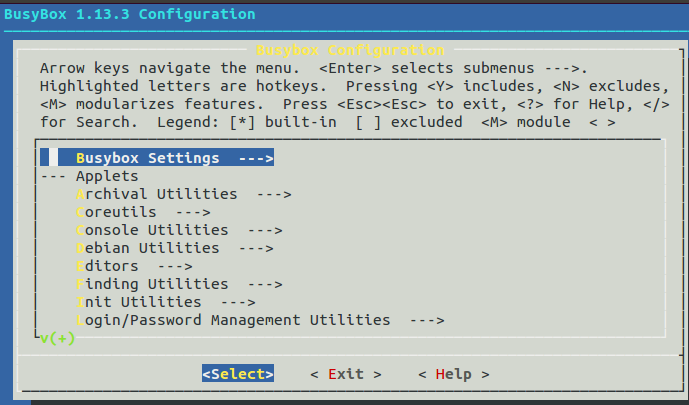
一步一步制作yaffs/yaffs2根文件系统(二)---安装BusyBox,构造/bin、/sbin、/usr、linuxrc
开发环境:Ubuntu 12.04 开发板:mini2440 256M NandFlash 64M SDRAM ...

Linux内核学习(4) 最小系统制作2 busybox制作initrd.img和根文件系统
busybox制作initrd.img和根文件系统 参考书籍:《深度探索Linux操作系统 系统构建和原理解析》 参考博客:https://blog.csdn.net/mao0514/article/details/51248738 (一)开发环境介绍 1.使用win7_64的笔记本安装Virtualbox虚拟机,笔记本cpu为i5-2450m。虚拟机上安装Ubuntu16.04系统作为编译环境,...

Linux2.6.39在S3C2440上的移植(二)添加yaffs2文件系统
1、主机环境:VMare下ubuntu10.04 ,1G内存。 2、编译编译环境:arm-linux-gcc 3、开发板:Micro2440,2M nor flash,256M nand flash。 4、u-boot-version:u-boot-2010.06 5、linux -version:Linux-2.6.39 2.1、yaffs2文件系统移植 a)获取yaffs2 源代码 针对嵌入式...

用SD卡传文件到JZ2440
主机开发环境: Ubuntu9.10 内核: Linux2.6.22.6(资料光盘-> systems目录) 文件系统: fs_qtopia.yaffs2(资料光盘->bin目录) 开发板:JZ2440 目的:通过SD卡传文件到开发板 其实很简单,就一条挂载命令,为了适应0基础刚入手开发板的同学,写的特别详细。 步骤: 1. JZ2440接上电源,按红色开关启动系统 2. 电脑用数据线...

Linux输入子系统框架-JZ2440
一、linux输入子系统的框架 下图是input输入子系统框架,输入子系统由输入子系统核心层(Input Core),驱动层和事件处理层(Event Handler) 三部份组成。一个输入事件,如鼠标移动,键盘按键按下,joystick的移动等等通过 input driver -> Input core -> Event handler -> userspace 到达用...
猜你喜欢

JZ2440开发板恢复本厂系统
开发板恢复本厂系统的具体步骤 使用op/eop烧写u-boot到nor/nand, 设置为nor/nand启动 上电后马上在串口输入空格键,使板子进入UBOOT而不是启动板子上的内核 连接PC-----------开发板的usb device口; 安装驱动 下载内核: 在UBOOT的串口菜单中输入k 使用dnw_100ask.exe发送uImage文件 uboot即会自动接收、烧写uImage文件...
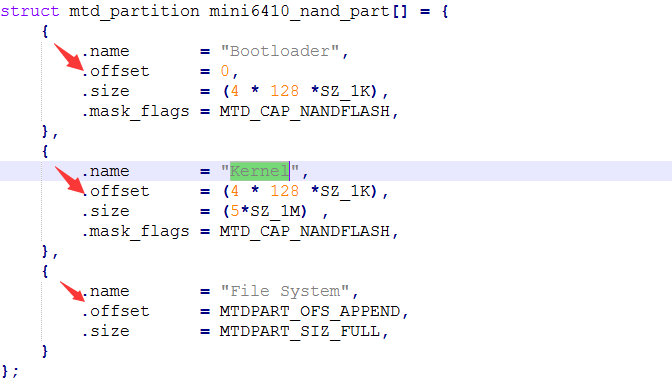
tiny6410的yaffs2文件系统的制作及其安装(2)
上篇文章写到了tiny6410的yaffs2文件系统的制作,接下来对yaffs文件系统进行安装。在按装前线写一段关于linux系统自启动的学习心得。 开发板的自启动避免了每次下载内核文件的麻烦,接下来是关于设置inux内核的自启动的学习心得,这里需要操作的文件有uboot源码目录下的/include/configs/mini6410.h 和内核源码下的/ar...

tiny6410的yaffs2文件系统的制作及其安装(1)
一 yaffs2文件系统的简介 YAFFS意义为‘yet another flash file system’,是一个开源的文件系统。是专门为NAND闪存设计的,它的出现使得价格低廉的NAND闪存芯片具有了高效性和健壮性。 YAFFS文件系统性能优越且易于移植,已经成功应用于linux、uClinux和Windows CE等嵌入式操作系统上。 Y...
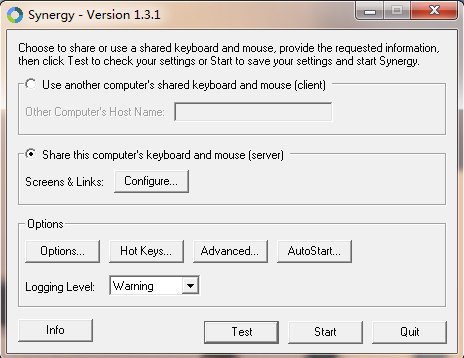
Synergy配置与使用
在公司的机器的工作机和测试机上做了实验,发现配置过程还是有点复杂的。故做一下小的分享。 另外,这个工具的共享剪切板的功能非常好用。可以直接在测试机上做屏幕截图,然后在工作机上打开画图板粘贴。 不过这款软件有个缺点,两台机器会共享焦点。在做自动化测试的时候不能随意切换屏幕,否则会造成焦点丢失,造成测试错误。 安装过程略。 配置过程: 1.选中“Share this computer's ...
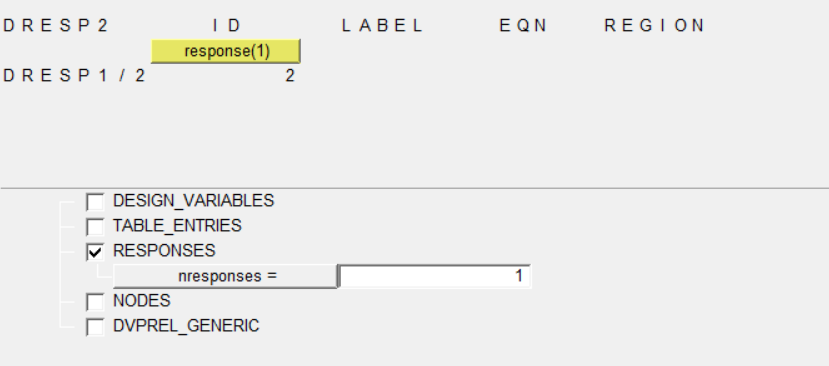
optistruct中的DRESP2响应设置
1.先编写自己的函数公式 函数名后面的括号中要有式中包含的变量 2.定义响应,类型选择为function,dequation选择刚才设置的函数 点击edit,输入函数表达式中变量对应的响应个数,并分别选择对应哪个响应 返回,点击create,创建成功...
问答精选
data transform of column by group into new columns in R
data as displayed output I can do it in a slow way of 1) creating NA for all new variables; 2) fill it on condition if(Type=="A"){ Var1_A <- Var1 } else if(..)} But I was wondering if the...
Perl simple one-liner used to add header to a file doesn't work when input file is empty
We have in code one-liner used to add header to file. It looks like perl -pi -e 'print "name, function, group\n" if $. == 1' CSV_FILE_NAME Everything is fine except when CSV_FILE_NAME is emp...
Integrating Google Sign-In into Your Android App Error
I'm just trying this link but I'm stuck in "Add the Google Services plugin" step... I just added the dependency they said but Android Studio' console is showing me this error: Could not find...
Best way to delete large no of random rows in PostgreSQL
I have a table which contains about 900K rows.I want to delete about 90% of the rows. Tried using TABLESAMPLE to select them randomly but didn't get much performance improvement. Here are the queries ...
Removing the border of legend symbol
I was trying to plot some predicted vs. actual data, something that resembles the following: The plot looks like this: The only issue I have with this plot is the red border surrounding the legend ite...
相关问题
相关文章
- 移植u-boot-2016.11到JZ2440(七:修改源码之烧写JFFS2、烧写YAFFS与制作补丁)
- 基于S3C2440的busybox的移植 yaffs根文件系统制作
- 一步一步制作yaffs/yaffs2根文件系统(一)
- ext2根文件系统制作
- 一步一步制作yaffs/yaffs2根文件系统(三)---使用glibc库构造 /lib
- 一步一步制作yaffs/yaffs2根文件系统(三)---使用glibc库构造 /lib
- 一步一步制作yaffs/yaffs2根文件系统(五)---生成yaffs/yaffs2镜像文件及下载到开发板
- 一步一步制作yaffs/yaffs2根文件系统(五)---生成yaffs/yaffs2镜像文件及下载到开发板
- 一步一步制作yaffs/yaffs2根文件系统(二)---安装BusyBox,构造/bin、/sbin、/usr、linuxr
- 一步一步制作yaffs/yaffs2根文件系统(六)---完善命令行提示符
热门文章
推荐文章
相关标签
推荐问答
- How to compile a jocaml file with ocamlbuild and include a package?
- Is neo4j compatible with websockets out-of-the-box?
- How do I fix my output regarding my switch statement?
- GitLab search and graph fail on large repo
- Efficiency of asynchronous non-blocking server socket
- How to click a button with its value with WWW::Mechanize
- Sort array based on second array order
- iOS Facebook SDK 4.0.1 getting user's email
- Apache Ignite and Spring Data - How to delete an entity?
- Why does explicitly subclassing from object in python cause global NameError exceptions?