thrift的lua实现
最近要进行系统升级,后台的数据是根据城市区分的。担心新系统的稳定性及新数据的准确性,计划部分城市采用新接口。接口的入参里没有城市信息,只有经纬度坐标,需要调用一个thrift接口来根据坐标获取城市信息。
如果直接修改代码逻辑,则会造成新旧版本的耦合,不仅完全上线时要再次修改,而且还要增加一次测试流程,这样成本就有些高了。这时就想到能不能用nginx+lua对新旧版本接口做灰度发布。
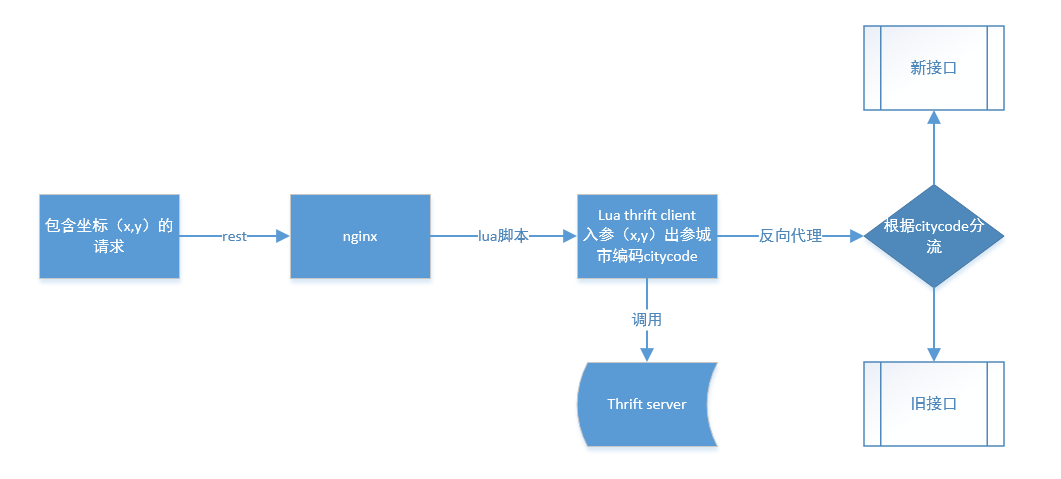
步骤:
1、安装thrift
2、生成客户的代码
3、编译lua调用thrift需要的库
4、实现客户端代码
5、测试
1、安装thrift
thrift最初由facebook开发用做系统内各语言之间的RPC通信,其实它与webservice有很多相似的地方。
首先有一个定义数据类型和接口的文件,xxx.thrift(在webservic里面对应的是xxx.wsdl),然后用程序去生成对应的客户端/服务器代码.
thrift的官方网站http://thrift.apache.org/,在上面可以下载最新版本的thrift(http://thrift.apache.org/download)。
最新版本的是thrift-0.9.3.tar.gz(截止2016/11/28)。
安装的步骤官网上有,http://thrift.apache.org/tutorial/,基本上就是:
1 ./configure && make && make install
安装过程可能会遇到缺依赖包,不是大问题,装一下就行了。
2、生成客户的代码
thrift文件内容,服务端提供 location_match.thrift:

 1 /**
 2 * File: location_service.thrift
 3 */
 4 /** 入参数据结构 **/
 5 struct Location_point
 6 {
 7     1: double x;
 8     2: double y;
 9 }
10 /** 出参数据结构 **/
11 struct Citycode_Response
12 {
13     1:string retCode;
14     2:i16 cityCode;
15 }
16
17 /** 接口定义 **/
18 service LocationmatchService
19 {
20     Citycode_Response find_citycode(1:Location_point location_point)
21 }
根据此文件生成lua客户端代码:
1 thrift --gen lua location_match.thrift
会在当前目录生成一个目录:gen-lua
里面有3个文件:
location_match_constants.lua:应该是个接口文件,里面有说明,大概意思是说,不懂就不要改
location_match_LocationmatchService.lua: 接口的定义
location_match_ttypes.lua:出入参数结构定义
这个过程非常像axis根据wsdl生成webservice代码的过程。上面的3个文件不需要改的。
3、编译lua调用thrift需要的库
lua调用thrift服务需要一些库文件,一部分是c语言实现的动态链接库*.so文件,一部分是lua语言的函数库*.lua。这些库的源码文件在官网下载的包里有(thrift-0.9.3.tar.gz),解压后在lib目录下有各个语言的库。lua在lib/lua下。
这里需要注意几个问题:1、官网的包里c语言编译会报错(当然可能是个别现象),具体错误没记住,大致上是说 relink libluasocket.so 时候报错。这个错误还好说,改下Makefile.am调整顺序即可,参见http://blog.csdn.net/superye1983/article/details/51190166。 2、调用thrift服务一定要注意两个关键点传输协议和IO方式(阻塞/非阻塞),传输协议有二进制流传输、json串和压缩数据传输格式等,其实主要规定了数据在传输过程中的格式,官网的包中只有二进制传输的协议TBinaryProtocol.lua。3、官网的包中socke是根据依赖lua实现的,而现实使用openresty是基于luajit的。luajit的socket是ngx.socket.tcp(),可能会造成某些冲突。
这里采用http://www.cnblogs.com/voipman/p/5365248.html 这篇文章中提到的源码实现,没有使用thrift官网的代码。代码下载地址https://github.com/gityf/ngx_lua_thrift。上面有明确的安装说明,非常简单编译动态链接库时只需一个命令make linux。
这里采用的nginx是openresty.下载和安装参见http://openresty.org/cn/.
4、实现客户端代码
test_cln.lua:
 1 require('TSocket')
 2 require('TCompactProtocol')
 3 require('TTransport')
 4 require('location_match_LocationmatchService')
 5 require('location_match_ttypes')
 6 require('TFramedTransport')
 7 module("test_cln",package.seeall)
 8 function demoFunc()
 9   local opt = {
10         host='127.0.0.1',
11         port=9090
12   }
13   local socket = TSocket:new(opt)
14   local ttable = {
15      trans = socket
16   }
17   local transport = TFramedTransport:new(ttable)
18
19
20   local protocol = TCompactProtocol:new{
21         trans = transport
22   }
23
24   client = LocationmatchServiceClient:new{
25         protocol = protocol
26   }
27   local location_point = Location_point:new{
28         x=114.2901961,
29         y=22.76033004,
30   }
31  socket:open()
32  res = ""
33  local ret = client:find_citycode(location_point)
34  res= tostring(ret.cityCode)
35  ngx.log(ngx.ERR,res..'   ~~~~~~~'..tostring(ret.cityCode))
36   return res
37 end
实现上与http://blog.csdn.net/superye1983/article/details/51190166这篇帖子里差不多。区别在于协议使用的是压缩协议TCompactProtocol,IO阻塞方式上采用的是无阻塞,所以使用了TFramedTransport,因为服务端实现的是无阻塞服务,如果协议、阻塞方式不对发起调用时就会报IO错误,TTransportException: time out/TTransportException: closed/TTransportException: connection reset by peer.
要把第二步生成的lua文件、第三步编译的动态链接库和lua文件都放到lualib目录下。test_cln.lua也要防止这个目录下。
nginx.conf:
1         location / {
2             content_by_lua_file /usr/local/nginx/nginx/conf/luascript/test.lua;
3             root   html;
4             index  index.html index.htm;
5         }
test.lua:
1 local cln = require "test_cln"
2 ngx.say(cln.demoFunc());
5、测试
[root@hadoop-1 sbin]# curl http://127.0.0.1/
1438
返回城市代码成功。
总结:采用openresty(nginx的一个版本,有luajit插件)实现接口的灰度发布,lua调用thrift,安装thrift,生成客户的代码,下载开源的thrift-lua依赖的库,thrift需要协议和io阻塞方式客户端与服务端一致。
来源:网络
智能推荐

thrift
一、About thrift 二、什么是thrift,怎么工作? 三、Thrift IDL 四、Thrift Demo 五、Thrift 协议栈 以及各层的使用(java 为例) 六、与protocolbuffer的区别 一、About thrift &n...

【转载】David Silver公开课9——探索与利用
本文是David Silver强化学习公开课第九课的总结笔记。这一课主要讲了因为存在Exploration和Exploitation矛盾的问题,从而需要考虑如何达到exploration的目的,提出了三种思路。 【转载自】chenrudan.github.io 本文是David Silver强化学习公开课第九课的总结笔记。这一课主要讲了因为存在Exploration和Exploitation矛盾的...
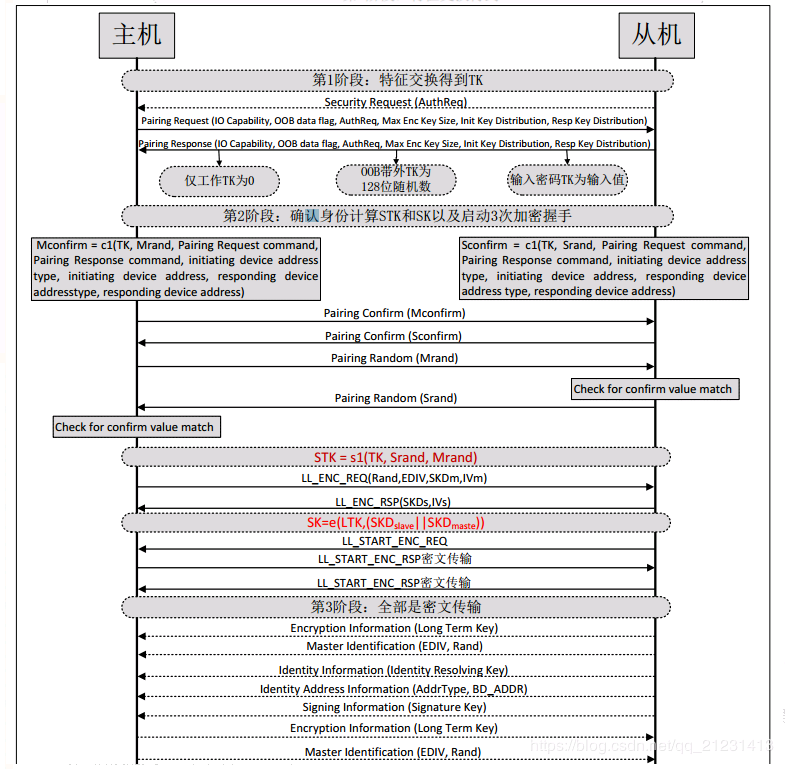
BLE配对绑定过程
1.关键词 简写 说明 作用 TK 临时** 128bit,用来计算短期**STK STK 短期** 128bit,用来计算长期**LTK SK 会话** 128bit,通过LTK计算所得,作为第3阶段三次加密握手**; 该值的计算链路加密过程,SK=e(LTK, (SKDmaster || SKDslave)); 链路加密过程是以STK为**,分散因子SKD初始向量IV进行加密 LTK 长期**...
属性的判断in和hasOwnProperty区别
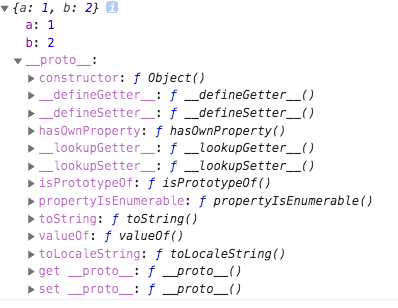
1. hasOwnProperty 方法用于判断对象“自身”是否有某个属性: 2. in 用于判断对象“自身”及其“继承对象”是否具有某个属性: 例: let obj = {a:1,b:2}; 控制台查看: obj.hasOwnProperty(...
安装环回网卡
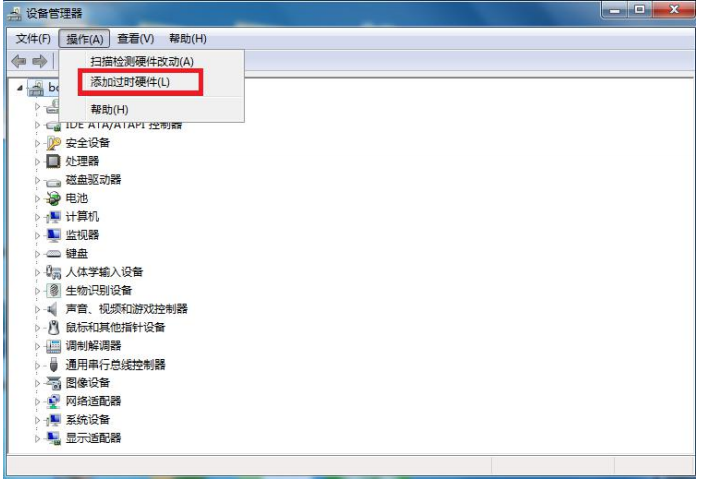
实验环境 (1)Windows 7 操作系统 (2)VMware15 (4)CentOS-7 1. 按下 win + R 键,在其中输入:hdwwiz,然后点击“确定” 上面的xx.24.29…1为给linux 服务器的ip地址 打开虚拟机,选择“编辑”->“虚拟网络编辑器”,确保“桥接到&rd...
猜你喜欢

ospf单区域配置
实验名称 OSPF单区域基本配置 实验目的 掌握OSPF基本配置技术 实验设备 Cisco3640路由器3台,网线多根。 背景描述 本实验以3台Cisco3640路由器为例来模拟该环境。 试验拓扑 实验步骤 ****************************************** r1 ****************************************** en conf...

Spark常见问题汇总
1、Operation category READ is not supported in state standby 2、配置spark.deploy.recoveryMode选项为ZOOKEEPER 3、多Master如何配置 4、No Space Left on the device(Shuffle临时文件过多) 5、java.lang.OutOfMemory, unable...
如何在交互式shell脚本中创建对话框
当你在终端环境下安装新的软件时,你可以经常看到信息对话框弹出,需要你的输入。对话框的类型有密码箱,检查表,菜单,等等。他们可以引导你以一种直观的方式输入必要的信息,使用这样的用户友好的对话框的好处是显而易见的。如下图所示: 当你写一个交互式shell脚本,你可以使用这样的对话框来接受用户的输入。whiptail可以在shell脚本中创建基于终端的对话框,消息框的过程,类似于Zenity或xdial...

maven自动部署war包到tomcat
转 http://darkranger.iteye.com/blog/751892 步骤一: 在tomcat安装目录下找到tomcat-users.xml文件。该文件路径为【tomcat安装根目录】 /conf/ 修改文件内容,增加下列内容: Java代码 <role rolename="manager"/> &n...

如何在SAP Business Object Data Services中连接到SAP HANA 数据库
如何在SAP Business Object Data Services中连接到SAP HANA 数据库 1. 打开SAP Business Objects Data Services Designer, 并登陆进入相应的Repository 2. 选中右下方的Data Store 标签页,并在其空白区域点击右键,选择新建 3. 输入相应的参数,并创建ODBC连接 点击ODBC Admin&hel...
问答精选
Mobile Safari video question
I'm playing with the iPhone's Safari HTML5 <video> tag and I was wondering if there's a way to programmatically quit fullscreen mode once the video is done playing? You start fullscreen mode usi...
awesome-wm: Possible to to map Alt+Shift?
Using Debian (jessie) and the "awesome" window manager (3.4.15), I can't figure out how to map Ctrl+Alt to a command. I would like to switch my keyboard layout like on a windows box. This is...
Long connection time with Azure Postgres
I have Azure Database for PostgreSQL service (PaaS). When I'm trying to query it with psql then even simple SELECT query from one table takes ~1.5s. When I'm in postgres console then there is no issue...
jQuery not working from onClick event
For some reason, my jQuery seems not to be working. I have a Javascript function -- TogAddCancel() -- called from the onClick attribute of an input "btnAddCncl," and the function is designed...
Binding ng model by key of loop issue
I'm trying to bind value to ng-model="" directive because I'm displaying elements with it in loop. I tried like this I need to have unique models to firstly create working validation (spans ...
相关问题
相关文章
热门文章
推荐文章
相关标签
推荐问答
- Radio buttons do not display as expected
- Eventlisteners impact?
- OpCodes.Castclass. Is it necessary?
- Find and Delete Duplicate rows in MySQL
- How to set values in forms by Id in Angular 6 and .NET core?
- Make every div the size of the viewport
- C++ : vector of vector and cache locality
- Is it possible to merge select and drop/delete query together and make it as one in MySQL?
- Pick up a specific file in the middle of the mule flow
- Returning Next Permutation of a number