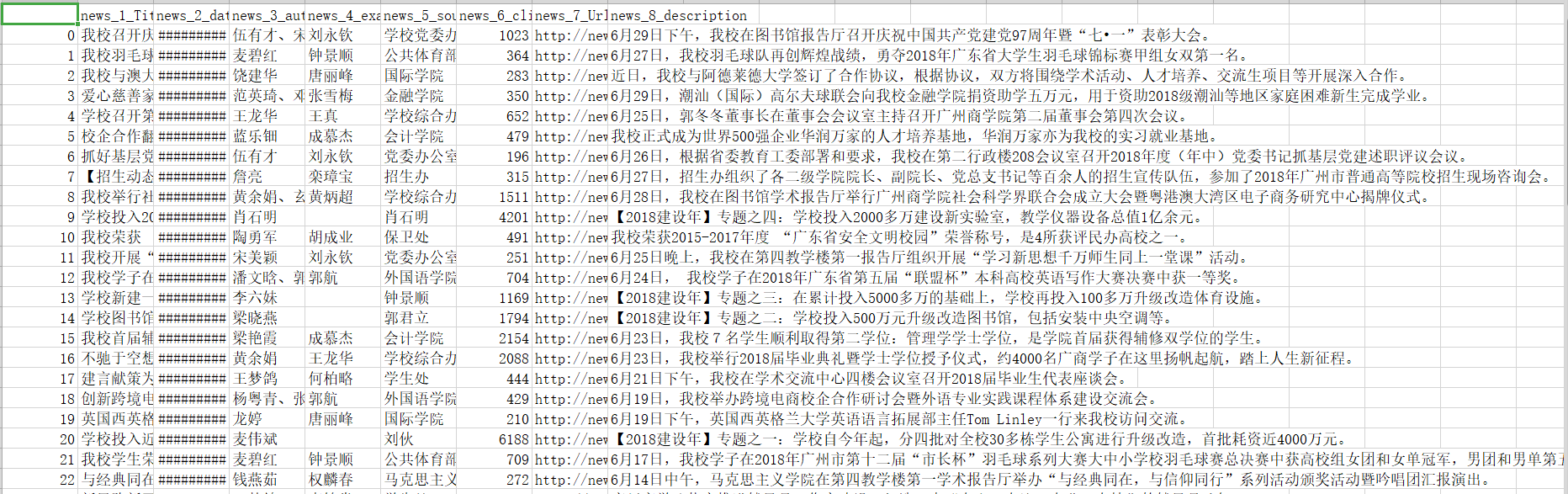
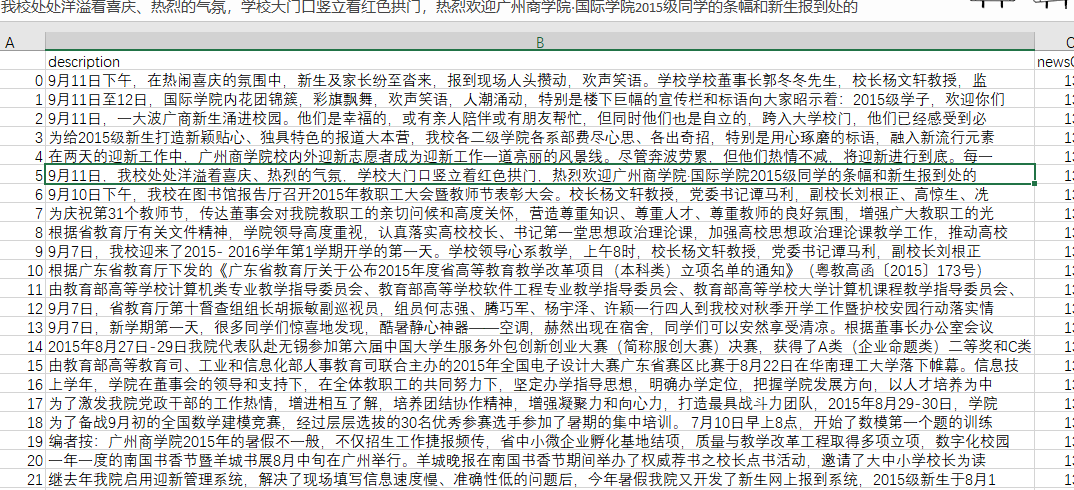
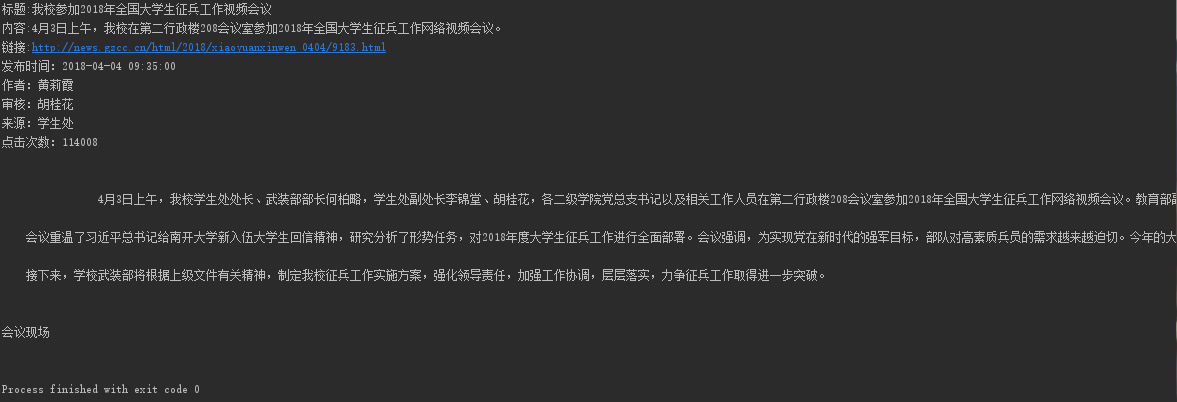
1.取出一个新闻列表页的全部新闻 包装成函数。
2.获取总的新闻篇数,算出新闻总页数。
3.获取全部新闻列表页的全部新闻详情。
import requests
from bs4 import BeautifulSoup
from datetime import datetime
import re

# 获取新闻点击次数
def getNewsId(url):
    newsId = re.search(r'\_\d{4}\/((.*)).html', url).group(1)
    clickUrl = 'http://oa.gzcc.cn/api.php?op=count&id={}&modelid=80'.format(newsId)
    clickRes = requests.get(clickUrl)
    # 利用正则表达式获取新闻点击次数
    clickCount = int(re.search("hits'\).html\('(.*)'\);", clickRes.text).group(1))
    return clickCount


# 获取新闻细节
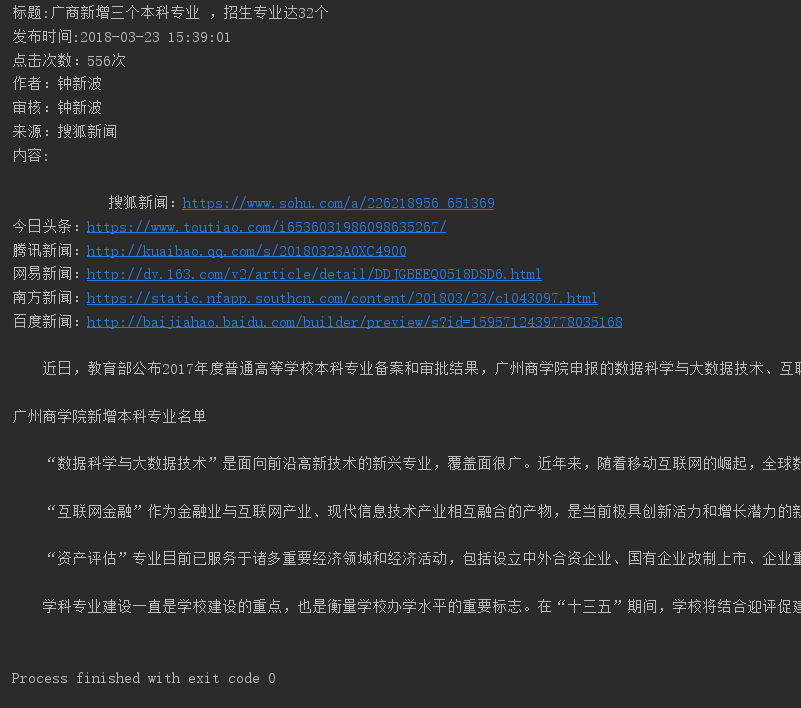
def getNewsDetail(newsUrl):
    resd = requests.get(newsUrl)
    resd.encoding = 'utf-8'
    soupd = BeautifulSoup(resd.text, 'html.parser')

    content = soupd.select('#content')[0].text
    info = soupd.select('.show-info')[0].text
    # 调用getNewsId()获取点击次数
    count = getNewsId(newsUrl)
    # 识别时间格式
    date = re.search('(\d{4}.\d{2}.\d{2}\s\d{2}.\d{2}.\d{2})', info).group(1)
    # 识别一个至三个数据
    if(info.find('作者:')>0):
        author = re.search('作者:((.{2,4}\s|.{2,4}、|\w*\s){1,3})', info).group(1)
    else:
        author = '无'
    if(info.find('审核:')>0):
        check = re.search('审核:((.{2,4}\s){1,3})', info).group(1)
    else:
        check = '无'
    if(info.find('来源:')>0):
        sources = re.search('来源:(.*)\s*摄|点', info).group(1)
    else:
        sources = '无'
    if (info.find('摄影:') > 0):
        photo = re.search('摄影:(.*)\s*点', info).group(1)
    else:
        photo = '无'
    # 用datetime将时间字符串转换为datetime类型
    dateTime = datetime.strptime(date, '%Y-%m-%d %H:%M:%S')
    # 利用format对字符串进行操作
    print('发布时间:{0}\n作者:{1}\n审核:{2}\n来源:{3}\n摄影:{4}\n点击次数:{5}'.format(dateTime, author, check, sources, photo, count))
    print(content)


def getListPage(listUrl):
    res = requests.get(listUrl)
    res.encoding = 'utf-8'
    soup = BeautifulSoup(res.text, 'html.parser')

    for new in soup.select('li'):
        if len(new.select('.news-list-title')) > 0:
            title = new.select('.news-list-title')[0].text
            description = new.select('.news-list-description')[0].text
            newsUrl = new.select('a')[0]['href']

            print('标题:{0}\n内容:{1}\n链接:{2}'.format(title, description, newsUrl))
            # 调用getNewsDetail()获取新闻详情
            getNewsDetail(newsUrl)
            break


listUrl = 'http://news.gzcc.cn/html/xiaoyuanxinwen/'
getListPage(listUrl)
res = requests.get(listUrl)
res.encoding = 'utf-8'
soup = BeautifulSoup(res.text, 'html.parser')
listCount = int(soup.select('.a1')[0].text.rstrip('条'))//10+1

for i in range(2,listCount):
    listUrl= 'http://news.gzcc.cn/html/xiaoyuanxinwen/{}.html'.format(i)
    getListPage(listUrl)
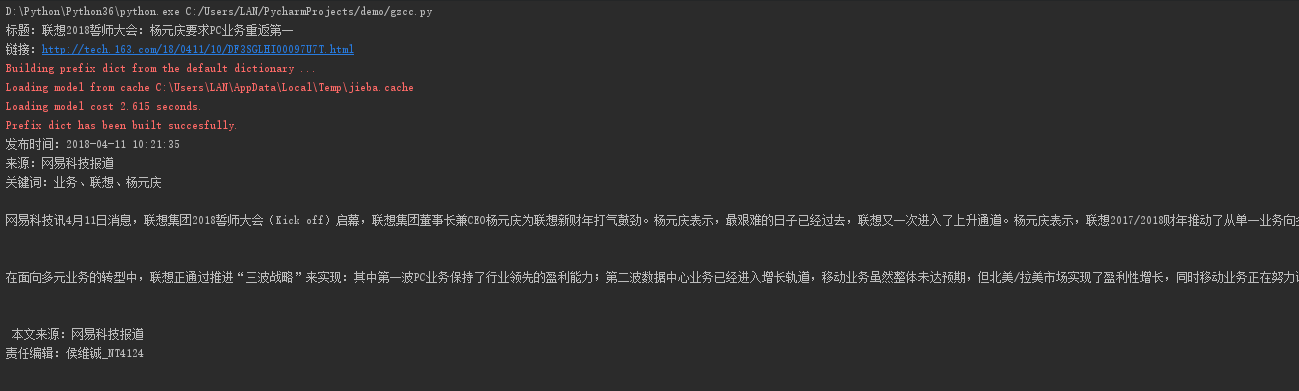
4.找一个自己感兴趣的主题,进行数据爬取,并进行分词分析。不能与其它同学雷同。
爬取网易科技频道IT专题:

代码:
import requests, re, jieba
from bs4 import BeautifulSoup
from datetime import datetime

# 获取新闻细节
def getNewsDetail(newsUrl):
    resd = requests.get(newsUrl)
    resd.encoding = 'gb2312'
    soupd = BeautifulSoup(resd.text, 'html.parser')

    content = soupd.select('#endText')[0].text
    info = soupd.select('.post_time_source')[0].text
    date = re.search('(\d{4}.\d{2}.\d{2}\s\d{2}.\d{2}.\d{2})', info).group(1)  # 识别时间格式
    dateTime = datetime.strptime(date, '%Y-%m-%d %H:%M:%S')  # 用datetime将时间字符串转换为datetime类型
    sources = re.search('来源:\s*(.*)', info).group(1)
    keyWords = getKeyWords(content)
    print('发布时间:{0}\n来源:{1}'.format(dateTime, sources))
    print('关键词:{}、{}、{}'.format(keyWords[0], keyWords[1], keyWords[2]))
    print(content)

# 通过jieba分词,获取新闻关键词
def getKeyWords(content):
    content = ''.join(re.findall('[\u4e00-\u9fa5]', content))  # 通过正则表达式选取中文字符数组,拼接为无标点字符内容
    wordSet = set(jieba._lcut(content))
    wordDict = {}
    for i in wordSet:
        wordDict[i] = content.count(i)
    deleteList, keyWords = [], []
    for i in wordDict.keys():
        if len(i) < 2:
            deleteList.append(i)  # 去掉单字无意义字符
    for i in deleteList:
        del wordDict[i]
    dictList = list(wordDict.items())
    dictList.sort(key=lambda item: item[1], reverse=True)  # 排序,返回前三关键字
    for i in range(3):
        keyWords.append(dictList[i][0])
    return keyWords

# 获取一页的新闻
def getListPage(listUrl):
    res = requests.get(listUrl)
    res.encoding = 'gbk'
    soup = BeautifulSoup(res.text, 'html.parser')
    for new in soup.select('#news-flow-content')[0].select('li'):
        newsUrl = new.select('a')[0]['href']
        title = new.select('a')[0].text
        print('标题:{0}\n链接:{1}'.format(title, newsUrl))
        getNewsDetail(newsUrl)  # 调用getNewsDetail()获取新闻详情
        break  # z只获取单个新闻,若要获取整页则去掉break

listUrl = 'http://tech.163.com/it/'
getListPage(listUrl)  # 获取首页新闻
for i in range(2, 20):  # 因为网易新闻频道只存取20页新闻,直接设置20
    listUrl = 'http://tech.163.com/special/it_2016_%02d/' % i  # 填充新闻页,页面格式为两位数字字符
    getListPage(listUrl)
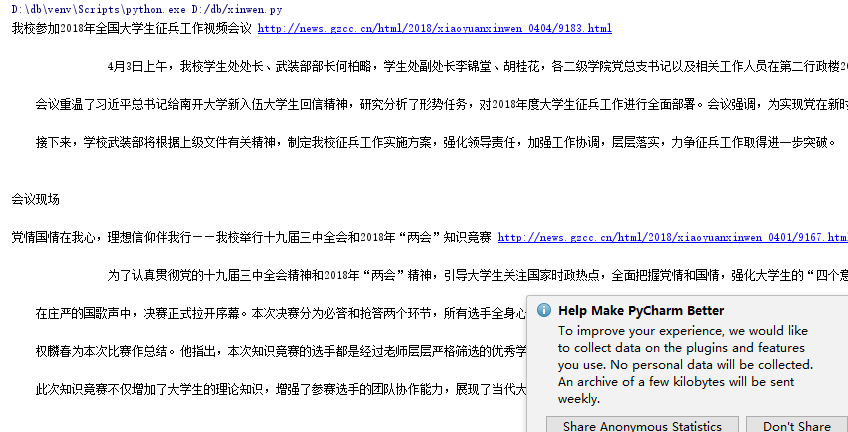
结果截图: