采用eclipse+jboss开发ejb3.0学习笔记
技术标签: JBoss Eclipse Bean EJB F#
<v:shapetype id="_x0000_t75" stroked="f" filled="f" path="m@4@5l@4@11@9@11@9@5xe" o:preferrelative="t" o:spt="75" coordsize="21600,21600"><v:stroke joinstyle="miter"></v:stroke><v:formulas><v:f eqn="if lineDrawn pixelLineWidth 0"></v:f><v:f eqn="sum @0 1 0"></v:f><v:f eqn="sum 0 0 @1"></v:f><v:f eqn="prod @2 1 2"></v:f><v:f eqn="prod @3 21600 pixelWidth"></v:f><v:f eqn="prod @3 21600 pixelHeight"></v:f><v:f eqn="sum @0 0 1"></v:f><v:f eqn="prod @6 1 2"></v:f><v:f eqn="prod @7 21600 pixelWidth"></v:f><v:f eqn="sum @8 21600 0"></v:f><v:f eqn="prod @7 21600 pixelHeight"></v:f><v:f eqn="sum @10 21600 0"></v:f></v:formulas><v:path o:connecttype="rect" gradientshapeok="t" o:extrusionok="f"></v:path><o:lock aspectratio="t" v:ext="edit"></o:lock></v:shapetype><v:shape id="_x0000_i1025" style="WIDTH: 414.75pt; HEIGHT: 268.5pt" type="#_x0000_t75"><v:imagedata o:title="" src="file:///C:\DOCUME~1\pengch\LOCALS~1\Temp\msohtml1\01\clip_image001.emz"></v:imagedata></v:shape>
<o:p> </o:p>
1. Properties properties = new Properties();
properties.put("java.naming.factory.initial",
"org.jnp.interfaces.NamingContextFactory");
properties.put("java.naming.factory.url.pkgs",
"org.jboss.naming:org.jnp.interfaces");
properties.put("java.naming.provider.url", "jnp://localhost:1099");
properties.put("jnp.disableDiscovery", "true");
<o:p> </o:p>
InitialContext ctx = new InitialContext(properties);
注意:初始化InitialContext时必须加上其上一个属性。
<o:p> </o:p>
2.
实现类的命名规则是:接口+Bean ,如: HelloWorldBean<o:p></o:p>
<o:p> </o:p>
3.JNDI的组成规则是“上层名称/下层名称”,每层之间以”/”分隔,<o:p></o:p>
当http://localhost:8080/jmx-console点击“service=JNDIView” 然后点java.lang.String list() 下的“invoke”按钮就会出现<o:p></o:p>
<o:p> </o:p>
<o:p> </o:p>
<v:shape id="_x0000_i1026" style="WIDTH: 6in; HEIGHT: 63pt" type="#_x0000_t75"><v:imagedata o:title="" src="file:///C:\DOCUME~1\pengch\LOCALS~1\Temp\msohtml1\01\clip_image003.emz"></v:imagedata></v:shape>
这就是所谓的上下层名称。
<o:p> </o:p>
<o:p> </o:p>
其他一些命名规则:
<v:shape id="_x0000_i1027" style="WIDTH: 414.75pt; HEIGHT: 144.75pt" type="#_x0000_t75"><v:imagedata o:title="" src="file:///C:\DOCUME~1\pengch\LOCALS~1\Temp\msohtml1\01\clip_image005.emz"></v:imagedata></v:shape><v:shape id="_x0000_i1028" style="WIDTH: 415.5pt; HEIGHT: 49.5pt" type="#_x0000_t75"><v:imagedata o:title="" src="file:///C:\DOCUME~1\pengch\LOCALS~1\Temp\msohtml1\01\clip_image007.emz"></v:imagedata></v:shape>
<o:p> </o:p>
<o:p> </o:p>
<o:p> </o:p>
4.
Stateless Session Bean不负责记录使用者状态,Stateless Session Bean 一旦实例化就被加进会话池中,各个用户都可以用。即使用户已经消亡,Stateless Session Bean的生命期也不一定结束,它可能依然存在于会话池中,供其他用户调用。如果它有自己的的属性(变量),那么这些变量就会受以所有调用它遥用户的影响。
<o:p> </o:p>
Stateful Session Bean 是一个可以维持自身状态的会话Bean。每个用户都有自己的的一个实例,在用户的生存期内,Stateful Session Bean保持了用户的信息,也就是“有状态”;一旦用户灭亡(调用结束或实例结束),即每个用户最初都会得到一个初始化的Stateful Session Bean.
大家注意stateful session bean 必须实现Serializable 接口,这样EJB 容器才能在她们不再使用时序列化存储她们的状态信息.<o:p></o:p>
<o:p> </o:p>
5.上面介绍了JNDI的默认命名规则,有时要自定义JNDI,可以使用@LocalBinding和@RemoteBinding注释<o:p></o:p>
如:@RemoteBinding (jndiBinding="foshanshop/RemoteOperation")<o:p></o:p>
<o:p> </o:p>
Operation operation = (Operation) ctx.lookup("foshanshop/RemoteOperation");<o:p></o:p>
<o:p> </o:p>
6.<o:p></o:p>
@Interceptors 注释指定一个或多个在外部类中定义的拦截器,如果写在类上表示对该类所有方法实旄拦截。<o:p></o:p>
<o:p> </o:p>
7.<o:p></o:p>
import com.foshanshop.ejb3.HelloWorld;
import com.foshanshop.ejb3.Injection;
<o:p> </o:p>
import javax.ejb.EJB;
import javax.ejb.Remote;
import javax.ejb.Stateless;
<o:p> </o:p>
@Stateless
@Remote ({Injection.class})
public class InjectionBean implements Injection {
@EJB (beanName="HelloWorldBean")
HelloWorld helloworld;
public String SayHello() {
return helloworld.SayHello("注入者");
}
}
<o:p> </o:p>
@EJB注释的beanName属性指定EJB的类名(不带包名),他的另一个属性mappedName指定Bean实例的JNDI名<o:p></o:p>
<o:p> </o:p>
7.<o:p></o:p>
消息驱动Bean(MDB)是设计用来专门处理基于消息请求的组件。一个MDB类必须实现MessageListener 接口。<o:p></o:p>
当一个业务执行的时间很长,而执行结果无需实时向用户反馈时,很适合使用消息驱动Bean。
<o:p> </o:p>
@MessageDriven(activationConfig =
{
@ActivationConfigProperty(propertyName="destinationType",
propertyValue="javax.jms.Queue"),
@ActivationConfigProperty(propertyName="destination",
propertyValue="queue/foshanshop")
})
<o:p> </o:p>
8.对于Entity Bean
首先,要对数据源进行配置,各数据库的数据配置模板在在[Jboss安装目录]\docs\examples\jca 目录中找到,默认名称为:数据库名+ -ds.xml 。数据库的驱动类Jar包放置在[Jboss 安装目录]\server\all\lib 目录下,放置后需要启动Jboss服务器。数据源文件配置好后需要放置在[jboss安装目录]/server/config-name/deploy目录下。如:<o:p></o:p>
Mysql-ds.xml<o:p></o:p>
<datasources>
<local-tx-datasource>
<jndi-name>DefaultMySqlDS</jndi-name>
// DefaultMySqlDS就是设置的数据源的JNDI名。 <connection-url>jdbc:mysql://localhost:3306/foshanshop?useUnicode=true&characterEncoding=GBK</connection-url>
<driver-class>com.mysql.jdbc.Driver</driver-class>
<user-name>root</user-name>
<password>root</password>
<exception-sorter-class-name>org.jboss.resource.adapter.jdbc.vendor.MySQLExceptionSorter</exception-sorter-class-name>
<!-- should only be used on drivers after <st1:chsdate w:st="on" isrocdate="False" islunardate="False" day="30" month="12" year="1899">3.22.1</st1:chsdate> with "ping" support
<valid-connection-checker-class-name>org.jboss.resource.adapter.jdbc.vendor.MySQLValidConnectionChecker</valid-connection-checker-class-name>
-->
<!-- sql to call when connection is created
<new-connection-sql>some arbitrary sql</new-connection-sql>
-->
<!-- sql to call on an existing pooled connection when it is obtained from pool - MySQLValidConnectionChecker is preferred for newer drivers
<check-valid-connection-sql>some arbitrary sql</check-valid-connection-sql>
-->
<o:p> </o:p>
<!-- corresponding type-mapping in the standardjbosscmp-jdbc.xml (optional) -->
<metadata>
<type-mapping>mySQL</type-mapping>
</metadata>
</local-tx-datasource>
</datasources>
然后,配置persistence.xml文件,把实体类和persistence.xml文件打成Jar,persistence.xml 放在jar 文件的META-INF目录。如<o:p></o:p>
<persistence><o:p></o:p>
<persistence-unit name="foshanshop"><o:p></o:p>
<jta-data-source>java:/DefaultMySqlDS</jta-data-source><o:p></o:p>
// DefaultMySqlDS就是数据库配置文件中定义的JNDI名。<o:p></o:p>
<properties><o:p></o:p>
<property name="hibernate.hbm2ddl.auto" value="create-drop"/><o:p></o:p>
</properties><o:p></o:p>
</persistence-unit><o:p></o:p>
</persistence><o:p></o:p>
来源:网络
智能推荐
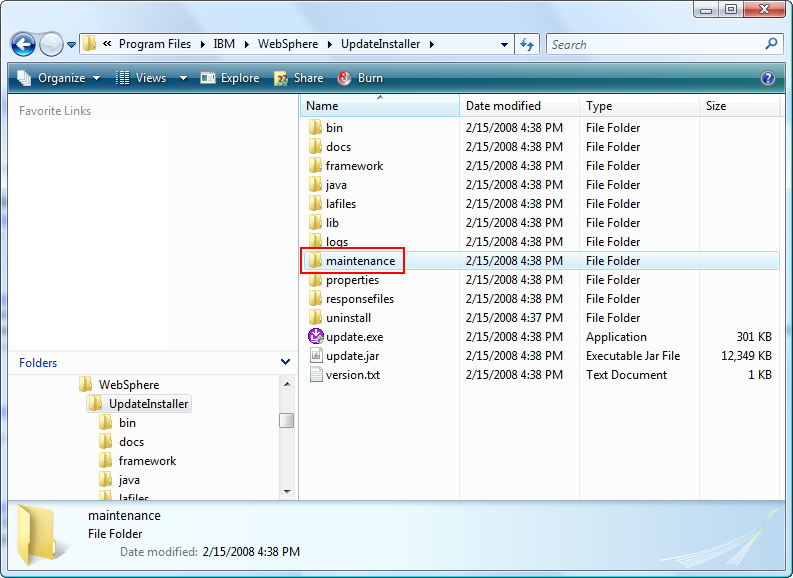
MyEclipse WebSphere开发教程:安装和更新WebSphere 6.1, JAX-WS, EJB 3.0(五)
MyEclipse超值折扣 限量 100 套! 立即开抢>> 【MyEclipse最新版下载】 MyEclipse支持Java EE技术(如JAX-WS和EJB 3.0),它们以功能包的形式可用于WebSphere 6.1,但未开箱即用。本指南将引导您完成安装WebSphere 6.1、功能包和更新。 在本指南中,您将: 安装WebSphere 6.1和更新 在启动时禁用运行...
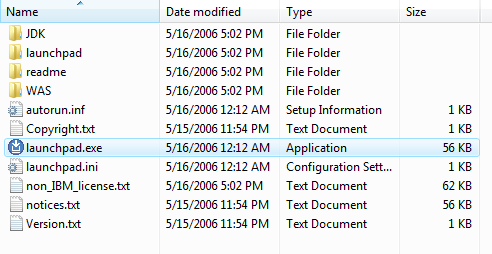
MyEclipse WebSphere开发教程:安装和更新WebSphere 6.1, JAX-WS, EJB 3.0(二)
你开学,我放价!MyEclipse线上狂欢继续!火热开启中>> 【MyEclipse最新版下载】 MyEclipse支持Java EE技术(如JAX-WS和EJB 3.0),它们以功能包的形式可用于WebSphere 6.1,但未开箱即用。本指南将引导您完成安装WebSphere 6.1、功能包和更新。 在本指南中,您将: 安装WebSphere 6.1和更新 在启动时禁用运行WebS...
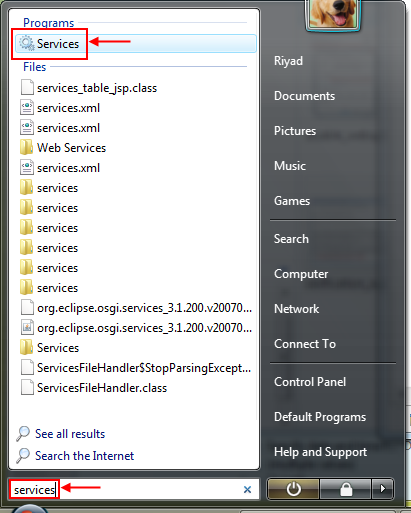
MyEclipse WebSphere开发教程:安装和更新WebSphere 6.1, JAX-WS, EJB 3.0(三)
MyEclipse超值折扣 限量 100 套! 立即开抢>> 【MyEclipse最新版下载】 MyEclipse支持Java EE技术(如JAX-WS和EJB 3.0),它们以功能包的形式可用于WebSphere 6.1,但未开箱即用。本指南将引导您完成安装WebSphere 6.1、功能包和更新。 在本指南中,您将: 安装WebSphere 6.1和更新 在启动时禁用运行...
EJB3 in action 学习笔记之一
1.Three primary techniques in EJB 3 eliminate these sources of complexity: metadata annotations, minimal deployment descriptors, and dependency injection. 2.The primary goal of de...

猜你喜欢

AS 3.0学习笔记
最近学习 as3.0,虽然 感觉不如Silverlight 好使,但是有些方面还是不错的,各有各优点吧。但是今天 学习遇到了个问题,从书上面照到打的一段代码运行无果,没有任何效果,最后拷贝代码下来运行也是这样,试了好久,找到原因,就是因为把stage.scaleMode 设成了 NoScale .猜想原因是初始化的时候他的舞台效果只能够定义一次吧,整个程序就只有两个类,像在一个棋盘上...

EJB3.0+JBOSS4.2.2GA集群
<!--StartFragment --> 首先调整JBOSS jar文件,拷贝到正确的目录 注意jboss默认目录default目录是不支持集群的,要使其支持集群,我们要将 1 $JBOSS_HOME/all/lib下的 jbossha.jar, jgroups.jar和jboss-cache-jdk50.jar 拷贝到...

JavaEE5学习笔记07-Web层与EJB集成总结(2):servlet与EJB集成结果展示
之后在写2个jsp页面 insertUserFormServlet.jsp <%@ page language="java" pageEncoding="utf-8"%> <!DOCTYPE HTML PUBLIC "-//W3C//DTD HTML 4.01 Transitional//EN"> <html...
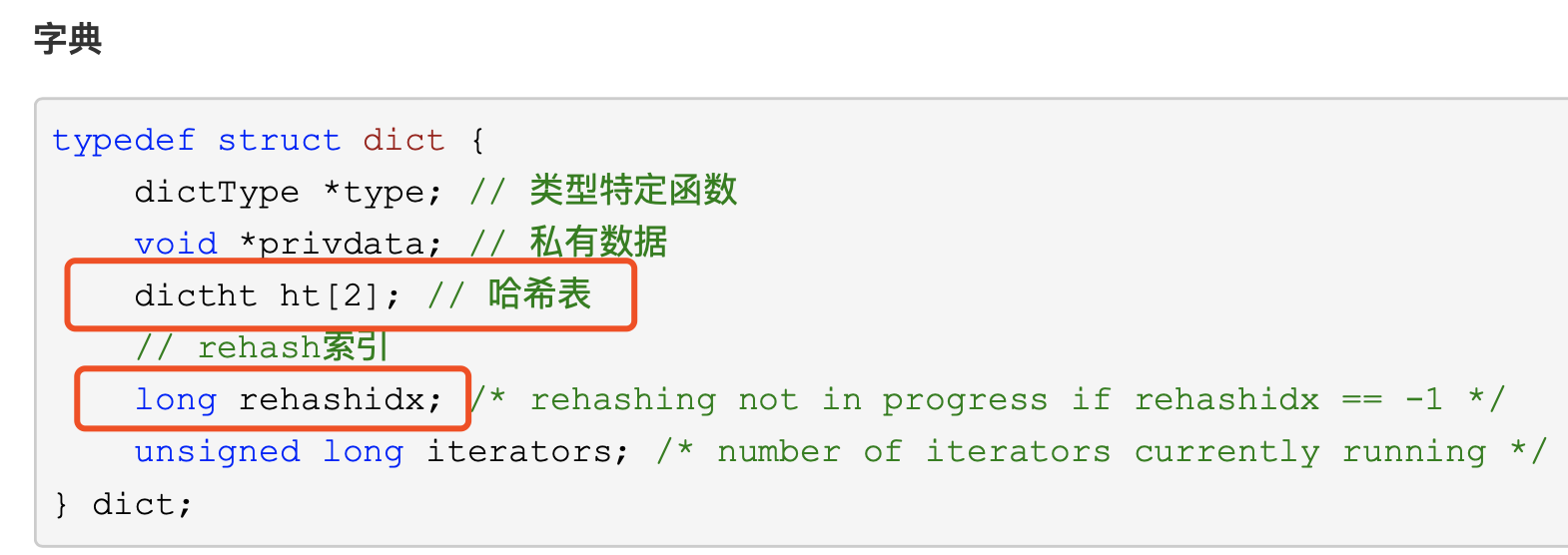
redis中的hash扩容渐进式rehash过程
背景: redis字典(hash表)当数据越来越多的时候,就会发生扩容,也就是rehash 对比:java中的hashmap,当数据数量达到阈值的时候(0.75),就会发生rehash,hash表长度变为原来的二倍,将原hash表数据全部重新计算hash地址,重新分配位置,达到rehash目的 redis中的hash表采用的是渐进式hash的方式: 1、redis字典(hash表)底层有...

不同系统下的回车\r和换行\n,及其历史
2019独角兽企业重金招聘Python工程师标准>>> 我们平时按下键盘上的‘回车键’,就能实现回车换行【我们在屏幕上所看到的就是光标移到了下一行的开头位置!!ps:不讨论软件实现的特殊功能,如word里的回车智能缩进】。因此对这个按键更准确说应该叫做‘回车换行键’ 就且将这种将光标移到下行开...
问答精选
How to get the sum of rows using a vector and the make the result in a column
I have a dataframe and i want to calculate the sum of variables present in a vector in every row and make the sum in other variable after i want the name of new variable created to be from the name of...
Call a custom class in zend framework
I have a very rough project that done partially in zend framework (not ZF2). The 'application', 'library' and 'public' folders are on the same root. Now i need to create a library 'Anil' in the 'libra...
Hide Some Of The Categories In Magento?
I want to hide some of the categories from magento home page. I have created some categories like New Arrivals, Special Offer Which I would like to show in some different way may be in left panel or r...
Reading an internal file in Android Studio
I am writing to an internal file in Android Studio The code lets me write lines of data split with commas. I am able to then go to another activity and read it all out at once. However I want to be ab...
Rails Acts_as_votable Gem Like/Unlike Buttons with Ajax
I'm new to Ruby On Rails, I used the acts_as_votable gem to create Like and Unlike Buttons to make Users like and unlike Posts but I can't make them change from Like to Unlike (and viceversa) and upda...
相关问题
相关文章
热门文章
推荐文章
相关标签
推荐问答
- How to mark certain methods in WCF silverlight enabled service?
- Angular2 Pass data between two components via service
- Pandas find most bought item given ClientID ItemID ItemQuantity
- Initializing variables in gekko using the array model function
- Sort two “numbers” with multiple dots
- Set line height to text inside a variable
- is there a way to specify class unextendable in ruby?
- Awk equivalent in PHP
- Space in a .NET string returned by string.Format does not match space declared in source code - multiple representations?
- JSON Schema: represent constraint to encode object type in string type