写给初次接触Visual Studio Code的同学 ~
技术标签: C# Visual Studio Code VS Code入门教程
之所以写这篇博客,是因为支持 Linux ~
之所以这么说,是因为.NET Core 提供了快速运行的模块化平台,用于创建在Window,Linux和macOS上运行的应用程序 ~ 这才是主要原因嘛~
Visual Studio Code 简介如下
在Build 2015大会上,微软除了发布了Microsoft Edge浏览器和新的Windows 10预浏览外(本人还是喜欢用Firefox ~期待Chrome回归 ~),最酷的惊喜莫过于宣布推出免费跨平台的Visual Studio Code编辑器 ~ 好吧,注意 ! 应该加一个前缀:轻量级 ~~~
其引人注目的地方在于:支持三十多种语言的开箱代码编辑器 !
当然我之所以选择VS CODE,还有一个原因,我觉得我之前用的VS IDE (2017)社区版集成开发工具太太笨重了 ~
VS CODE开启,反应速度之快,以及开发视图的简洁性在编写代码时会给你一种轻盈愉悦的感觉 ~
使用 .NEW CODE 编写第一个程序(For example C#)
系统必备
- 安装 Visual Studio Code。
- 获取 .NET Core SDK。
- 安装 Visual Studio Code 的 C# 扩展。 若要详细了解如何在 Visual Studio Code 上安装扩展,请访问 VS Code 扩展市场。
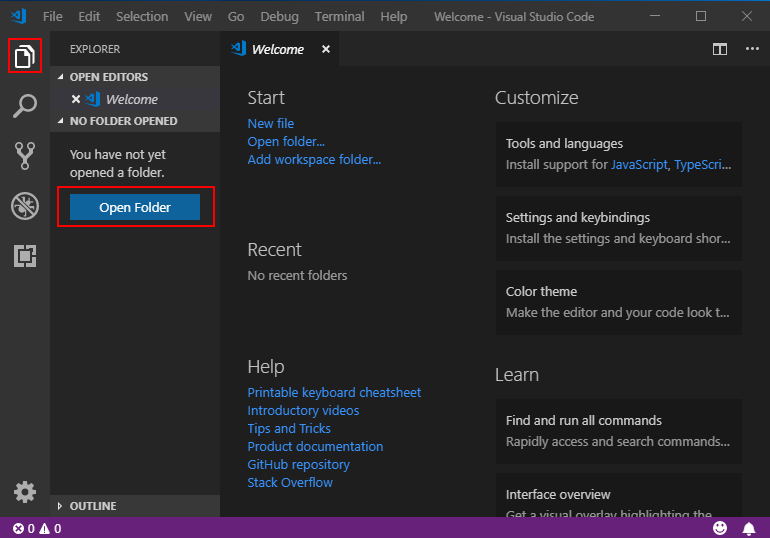
1-打开项目:
- 打开 Visual Studio Code。
- 依次单击左侧菜单上的“资源管理器”图标和 “打开文件夹”。
从主菜单中选择“文件” > “打开文件夹”,打开要在其中放置 C# 项目的文件夹,然后单击“选择文件夹”。 在我们的示例中,为项目创建名为“HelloWorld”的文件夹。
2-初始化 C# 项目:
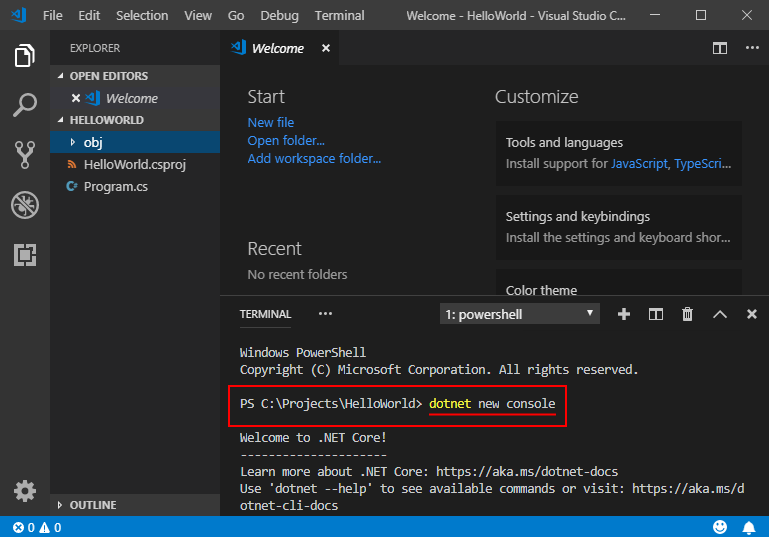
- 通过从主菜单中选择“视图” > “集成终端”,从 Visual Studio Code 中打开集成终端(Terminal)。
- 在终端窗口中,键入“
dotnet new console”。此命令在已编写“Hello World”简单程序的文件夹中创建
Program.cs文件,以及HelloWorld.csprojC# 项目文件注意:如果想要将自己写不同项目分别存放在文件夹下的文件夹中可以参考这个步骤 ~
3-解析生成资产:
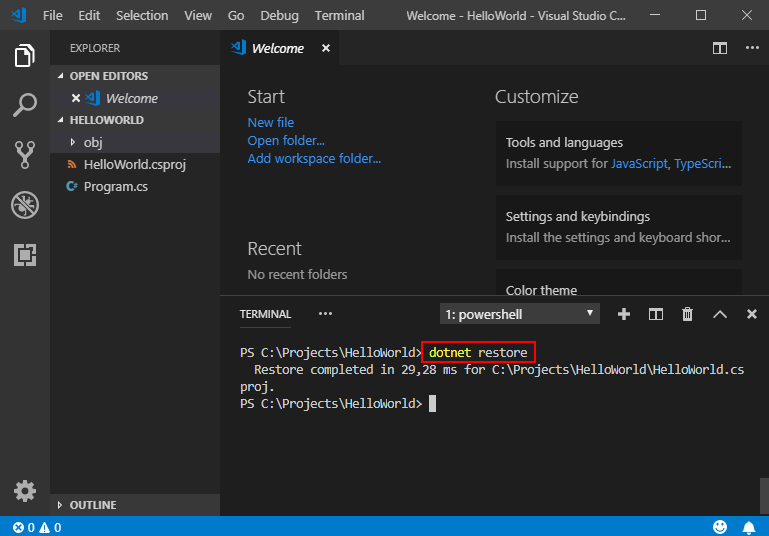
对于 .NET Core 1.x,键入
dotnet restore,运行dotnet restore后,便有权访问生成项目所需的 .NET Core 包。
备注
从 .NET Core 2.0 开始,无需运行
dotnet restore,因为它由所有需要还原的命令隐式运行,如dotnet new、dotnet build和dotnet run。 在执行显式还原有意义的某些情况下,它仍然是有效的命令,例如 Visual Studio Team Services 中的持续集成生成中,或在需要显式控制还原发生时间的生成系统中。
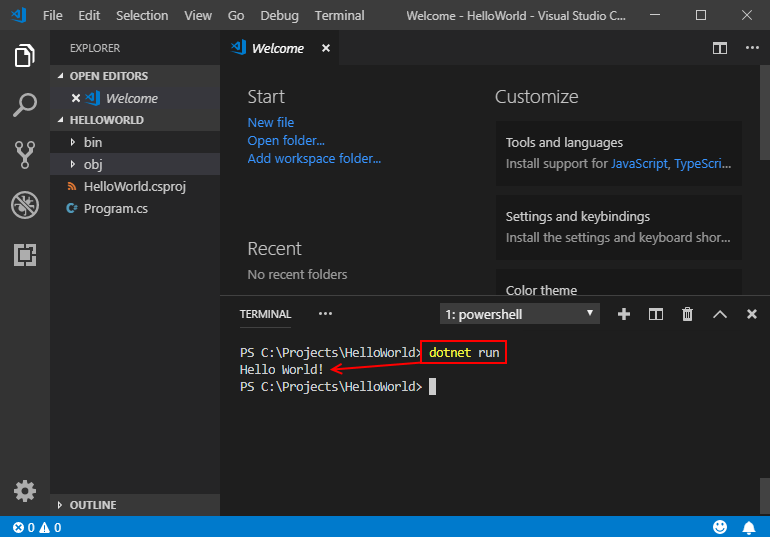
4-运行“Hello World”程序:
键入
dotnet run
(Thanks to these editors ~ Heartfelt thanks ~)Excerpt from : https://docs.microsoft.com/zh-cn/dotnet/core/tutorials/with-visual-studio-code
来源:网络
智能推荐
Visual Studio Code插件
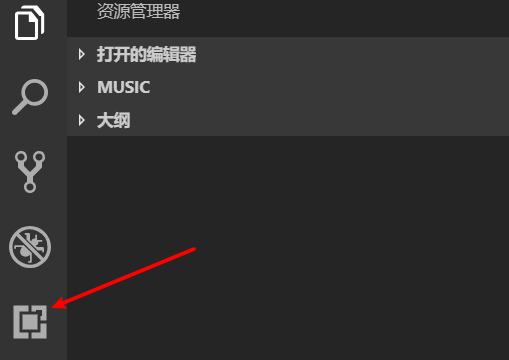
Visual Studio Code插件 方法一:先ctrl+shift+p,弹出命令面板-选中Extensions:Install Extensions 方法二:直接点击VS code 侧边的图标 常用插件: 插件 说明 open in browser 浏览器预览html文件 View InBrowse 从浏览器中查看html文件,使用系统的当前默认浏览器 HTMLHint html代码检测 A...
Visual Studio code setup
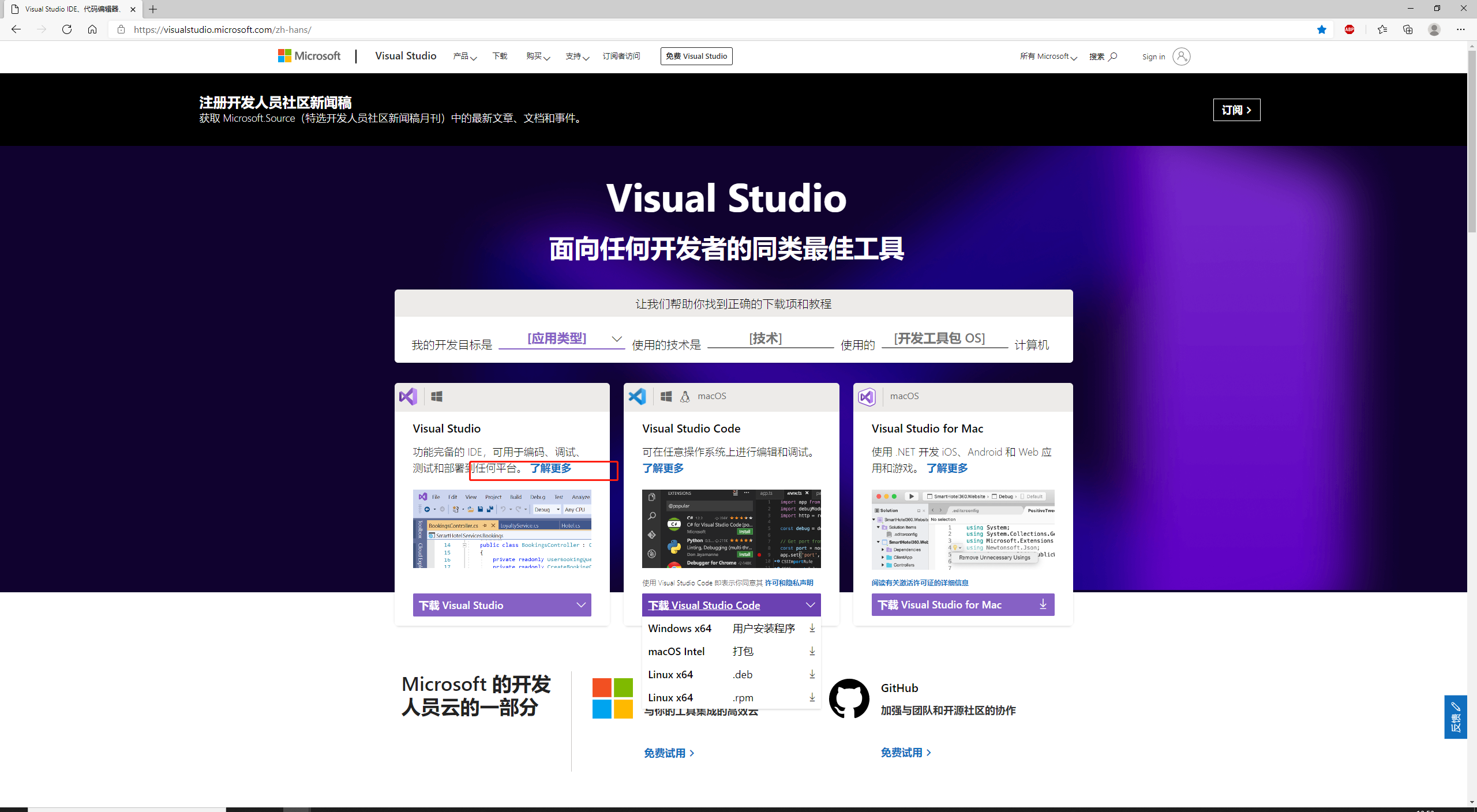
Visual Studio code setup 1.URL:Official website. 2.Click. 3.Follow. 4.Follow. 5.Don’t change. 6.Don’t change,Automatically generate path. 7.Don’t change. 8.Wait. 9.install successful...

Visual Studio Code 使用
文章目录 简介 下载安装 默认快捷键 编辑代码 配置 Java开发 配置 java.home 插件:Java Extension Pack 简介 以JavaScript为代表,过去我们调试JS的时候,需要使用浏览器F12,代码上面需要利用console.log 或 alert 对过程进行输出,习惯了例如VS 编译器的开发人员会比较不习惯。如今可以使用VS Code进行开发,它开源免费,通过安装开发...

Visual Studio Code的简单使用
本文描述Visual Studio Code的基本使用方法。 版权声明 本文可以在互联网上自由转载,但必须:注明出处(作者:海洋饼干叔叔)并包含指向本页面的链接。 本文不可以以纸质出版为目的进行改编、摘抄。 本文节选自作者的《Python编程基础及应用》****。 1.打开或者创建项目目录 Visual Studio Code是一个跨语言的代码编辑工具,可以简单地使用目录-Folder来管理程序文...
Visual Studio Code的下载与安装
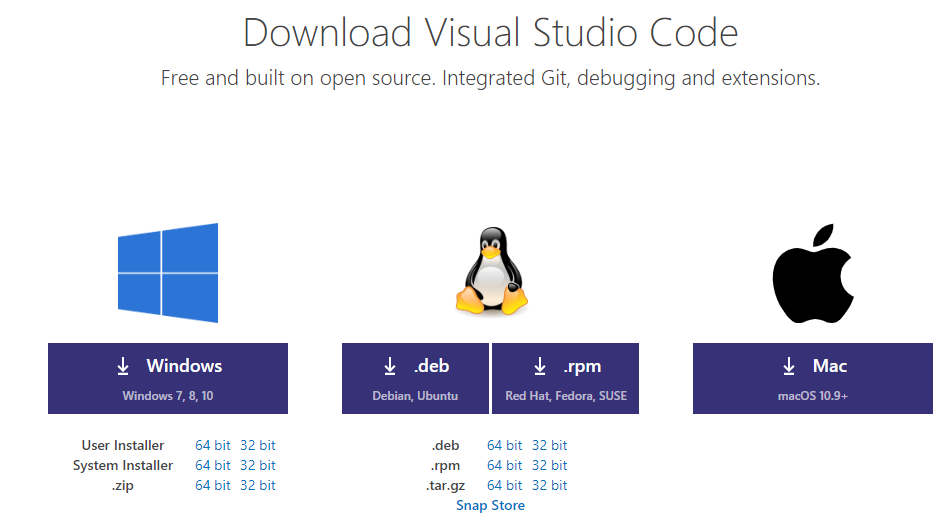
本文描述Visual Studio Code的下载及安装方法。 版权声明 本文可以在互联网上自由转载,但必须:注明出处(作者:海洋饼干叔叔)并包含指向本页面的链接。 本文不可以以纸质出版为目的进行改编、摘抄。 本文节选自作者的《Python编程基础及应用》****。 Visual Studio Code是由微软公司提供的免费代码编辑工具,可以在下述网址下载。同样地,读者需要根据自己的操作系统类型和...
猜你喜欢

机器学习_基本python类型、判断与循环流程等
记录些冷门的东西,或许哪天就有用呢。或许是你很熟悉的东西,但是我不知道,所以好记性不如烂笔头呀 不在函数里时,globals() = locals() teacher_name ='david' 和 globals()['teacher'] = 'david' 效果是一样的 &nbs...
bash: /usr/local/java/jdk1.8.0_291/bin/javac: cannot execute binary file
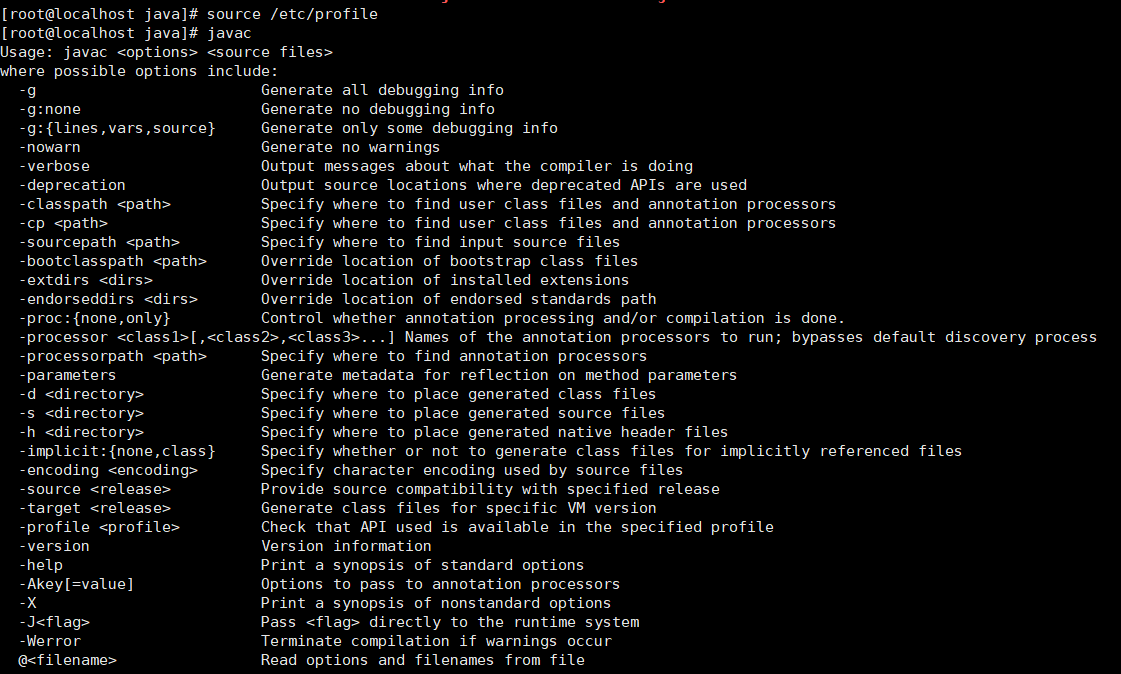
安装配置jdk的时候,配置环境变量后,通过命令生效,source /etc/profile 输入javac java -version 也没有,java环境并没有配置成功 解决问题: 1.首先查看操作系统的位数 genconf LONG_BIT 2.查看自己下载的jdk的位数是否同样是64位的。 第一次下载的是红框中的jdk,一直没有配置成功,后来仔细查看,发现是下载错jdk了,第二次...
jmeter之查看结果树
取样器结果 通过上图我们能看到什么信息呢? 一、先看左侧的结果列表 1、通常我们会说执行成功的请求在左侧会显示绿色,执行失败会显示红色。 2、其实,当我们没有加断言时,显示绿色并不一定就是成功了,只代表响应码是200或300系列,显示红色说明响应码是400或500系列。所以要想确定请求返回的是正确的,必须要加上断言,只有断言成功才会显示绿色。 3、在左侧最下面有一个复选框Scroll ...

vue集成krpano
https://gitee.com/hkp123/pano_vue 码云地址里面可以去下载复制到本地项目static 吧整个vtour复制过来 引入他的js文件 他的启动文件onready是获取tour.xml文档里面的对象 完成...

MEASUREMENT MODELS AND PRINCIPLES FOR SOURCE LOCALIZATION
The TOA, TDOA, RSS, and DOA signal models and their basic positioning principles are presented in Sections 2.2.1 – 2.2.4 , respectively. In fact, all the models can be generalized as where r is ...
问答精选
How to change the text colour of a materialize input field within local home.scss file
Framework: react on rails CSS: Materialize So I'm using materialize's defualt css package and importing it as: With scripts at the bottom of the <body>: Here are the elements I'm looking to targ...
Is there a way to use "type" word as a variable name in Scala?
It is frequent in my practice that a variable/argument is to store a type of something (as an enumeration value usually). And it usually makes no sense to specify an entity class in the name (like use...
Get Realtime Database value to ArrayList using MVVM + Coroutines
I wanted to get a list of data from the realtime database using coroutines and MVVM and put them to recyclerview. It runs but the data from the realtime database are added after the recyclerview.adapt...
React Recursive Function to Render Components
I've been attempting to render a react-bootstrap component within a custom navBar component in react. I have a recursive function set up which is supposed to run in react render and drill down until t...
Overload the + operator to be able to work with 3 const instances of the object
I'm having trouble with defining the overloaded operator + for const instances within my CMatrix class. I've got this definition for the + operator yet CMatrix operator+(const CMatrix &matrix) con...
相关问题
- Visual Studio Code:Paperscript
- Visual Studio Code SVN
- Visual Studio Code“实验指控器”的角度构建问题
- Visual Studio Code / git:无法推动创建的分支
- 如何永久安装Visual Studio Code的“代码”命令?
- Linux Manjaro上的Visual Studio Code C ++:IncludePath问题
- Visual Studio Code $ PSISE等效
- Visual Studio Code Mocha QuescomMatcher
- Visual Studio Code Intellisense模式
- 无法启动Visual Studio Code Insider
相关文章
热门文章
推荐文章
相关标签
推荐问答
- occurence of count of \n (new line ) in a string
- Thinking recursively with F#
- Implementation of social media login into intelXDK
- "OR"-constraint with simple-score calculator doesn't work
- Write List <> to the database asp.net
- Selecting derived class based on function parameter
- How can I run a .IPA file downloaded from the app store on a different (developer) device?
- Unable to upload file using django
- Make my Android app to fully kiosk mode when enabled
- Eclipse shows errors but I can't find them